VidAngel
VidAngel Entertainment, LLC

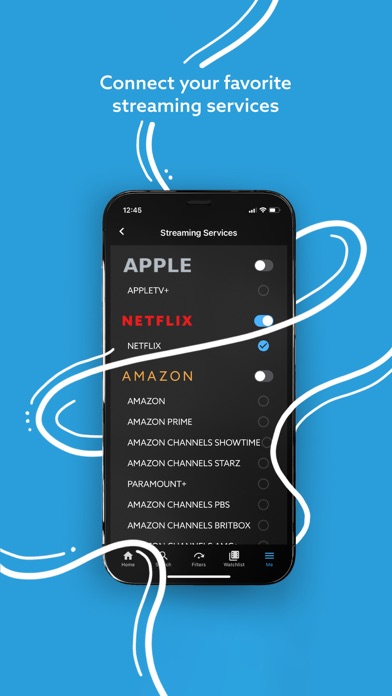
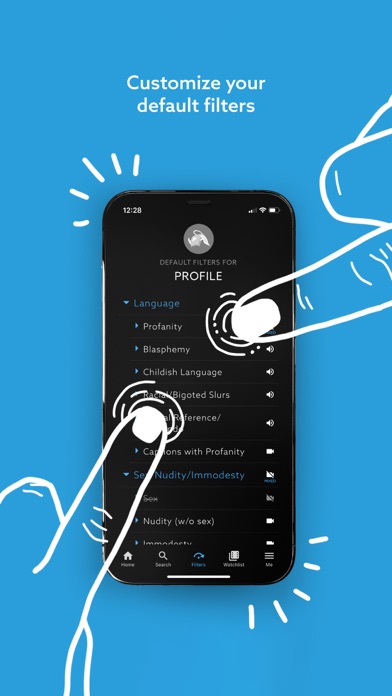
Protect your home and family from offensive content in movies and shows. VidAngel lets you filter profanity, nudity, violence, and more. Have you ever sat down to watch a show, only for an unexpected sex scene or barrage of foul language to send you scrambling for the remote control? Over a million people have used VidAngel to skip the stuff they don’t want to see or hear in thousands of streaming movies and TV shows. With VidAngel, you set customizable filters for content such as profanity, blasphemy, nudity, adult content, graphic violence and more, putting you in complete control of the entertainment in your home. How does VidAngel work? • Sign up for a VidAngel account. We offer monthly subscriptions and you can cancel at any time (see our subscription and other end-user terms of service at https://www.vidangel.com/terms). • Connect your existing streaming services–VidAngel works with Netflix®, Prime Video®, Apple TV+®, Peacock®, Paramount+® and a number of Amazon® premium channels, including Paramount+®, STARZ®, AMC+®, PBS Masterpiece® and Britbox®. * • VidAngel also offers a ton of original content from Angel Studios, including The Chosen and Dry Bar Comedy, all included with your VidAngel subscription. • Set default filters for the stuff you never want to see or hear. You can also fine tune your filters each time you watch. • Pop some popcorn. • Hit play and enjoy the show on your Apple device, without the stuff that used to make you squirm. Start binging with less cringing today, with VidAngel. Terms of Use: https://www.apple.com/legal/internet-services/itunes/dev/stdeula/ * Access to content may require a third-party streaming subscription.
Screenshots