Mp3 Recorder : Voice Recorder
AppDev Technolabs

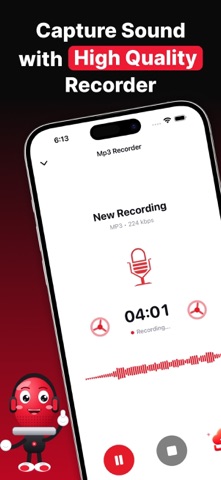
Turn your iPhone into a powerful MP3 voice recorder. Capture meetings, lectures, voice memos, interviews, ideas, music practice, and more in clear, high-quality audio. MP3 Recorder makes it easy to start recording with one tap, pause when needed, and play back recordings at your preferred speed. RECORD WITH EASE • Start recording with one tap • Pause and resume at any time • Record for a few seconds or several hours • Continue recording and playback in the background • Save audio in compressed MP3 format • Simple, intuitive interface • Choose the settings that fit your recording needs CUSTOMIZABLE MP3 AUDIO Select from multiple MP3 bitrate options: • 128 kbps • 160 kbps • 192 kbps • 224 kbps • 256 kbps Choose your preferred input channel: • Mono • Stereo • Joint Stereo Adjust the sound quality: • Low • Medium • High FLEXIBLE AUDIO PLAYBACK Review lectures, meetings, interviews, and voice notes at your own pace. • Slow, medium, and fast playback • Move forward through a recording • Rewind to replay important moments • Convenient playback controls MANAGE AND SHARE RECORDINGS Keep important audio accessible wherever you need it. • Upload and export recordings to supported cloud services • Import and download audio files • Email multiple recordings • Transfer recordings to your Mac or computer • Organize and play your recordings anytime GREAT FOR • Business meetings and agendas • College lectures and study notes • Interviews and presentations • Voice memos and personal reminders • Song ideas and music practice • Long-form audio recordings Download MP3 Recorder and start capturing important moments in high-quality MP3 audio. Terms of Service: https://appdevtechnolabs.com/termsofuse Privacy Policy: https://appdevtechnolabs.com/privacypolicy Contact Us: info@appdevtechnolabs.com
Screenshots