Kart Chassis Setup
ISEnet

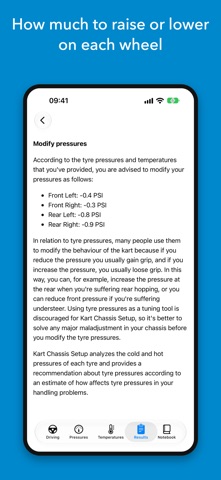
Tell the app how your kart behaves through a corner and it tells you what to change on the chassis. No guessing, no forums, no depending on somebody in the pit having a good day. WHY THIS APP • Set up your chassis and fix oversteer, understeer and any other handling problem: tell it how the kart behaves and it tells you what to change. • Learn how to tune it: every piece of advice explains what each component is for, what changes you can make and what each one achieves. • For beginners who want to set up like a pro and learn the techniques along the way, and for advanced drivers, with detailed pressures and temperatures for each wheel. • Cold target pressure for 31 compounds, with the breakdown of why that number. • Tyre temperatures typed in from your Apple Watch, with gloves on. • Widgets and track mode: the pressure to set, big and high-contrast. • A notebook of karts and sessions that follows you through your own iCloud. • Send a session to your mechanic as data, not just a picture. • One-off purchase. No subscription, no ads, no account. HOW IT WORKS You pick the symptom — understeer, oversteer, hopping, sliding on all four — where it happens (corner entry or exit) and how strongly you feel it. The app crosses that with your pressures, your temperatures and the conditions of the day, and gives you a list of adjustments ordered by priority: where to start, what is worth trying and what to do if it persists. Every piece of advice comes with its explanation and illustrations: it is not a black box. COLD TARGET PRESSURE What do I set cold BEFORE going out so the session ends inside the tyre's window? It accounts for the compound, air and track temperature, track condition, grip and total weight, and shows what moved the number. 31 compounds: 9 brands plus generics by hardness for when yours is not listed. ON YOUR WRIST AND IN THE PIT Apple Watch: the moment you come in, type in the temperatures of the four tyres (inside, middle, outside) with the Digital Crown, before they cool. They land on your iPhone. The target pressure is on the watch and on the watch face. Home and lock-screen widgets show the pressure to set, and track mode turns it into a huge, high-contrast number with the screen at full brightness. THE NOTEBOOK It saves every session with its pressures, temperatures, conditions, tyre and the advice you were given. Add the laps and your best time: it is the only thing that really tells you whether the setup worked. Several karts, each with its chassis. And it follows you between iPhone and iPad through your own iCloud, private to you; the session you are working on stays on each device. FOR YOUR MECHANIC Send a session by link, QR code or file. Your mechanic opens it in the app, reads exactly what you saw and saves it to their notebook: nothing is applied on its own, and no names, notes or position travel with it. Still available as an image for WhatsApp. CATALOGUES 175 circuits from 25 countries, with position, length, layout type and abrasiveness where known. Tap Detect circuit and the app proposes the one you are at, only when you ask. 33 chassis models from 11 manufacturers. If yours is not there, type it in and it is saved all the same. CALCULATORS AND UNITS Gear ratio with the theoretical top speed of each combination, and air density with a reference you can save, with the pressure estimated from the circuit's altitude. PSI or bar, Celsius or Fahrenheit, kilos or pounds, switchable on the screen. HELP AND HONESTY Every screen has its own help, written by someone who has taken tyre temperatures in a paddock. The pressure windows come from tuner guides, distributors and the specialist press; when a figure is not confirmed, the app says so. One-off purchase. No subscription, no ads, no account of ours. Works with no signal, which is how most paddocks are.
Screenshots