Distance Measurement
Nanshu Kaneshiro

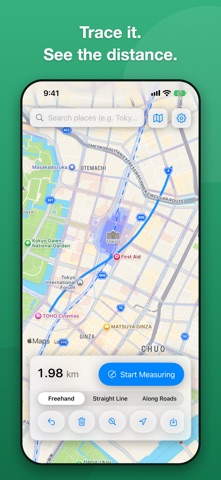
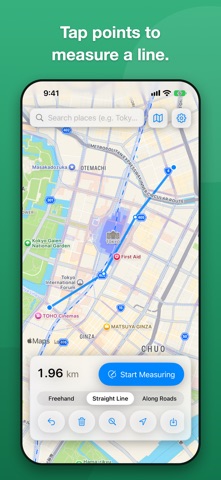
Distance Measurement lets you measure distance by simply tracing your finger across a map. Use it for walking and running routes, your commute, or a rough idea of how far apart two places are. THREE WAYS TO MEASURE - Freehand: tap Start Measuring, then trace the map with your finger. The distance updates as you draw - Straight Line: tap the map to place points, and the lengths of the segments are added up. Undo removes just the last point - Along Roads: turns the line you traced into a route that follows roads and paths, and gives you that distance. Choose walking or driving Distances are calculated on the real surface of the Earth, not in screen pixels. MAP FEATURES - Search for a place or address and jump right to it - Standard, Satellite and Hybrid maps - A Current Location button - Undo, Clear and Show All make it easy to start over - Distances switch automatically between m and km. In Settings you can switch to feet and miles HISTORY - Save a measurement and bring it back on the map later (the line, distance, map position and zoom) - Your saved history is kept on your device only AND MORE - Works on iPhone and iPad. Supports Dark Mode - 14 languages: Japanese, English, Korean, Chinese (Simplified and Traditional), German, French, Spanish, Italian, Portuguese (Brazil), Dutch, Polish, Turkish and Russian - No account or sign-in required LOCATION Your location is used only to show where you are on the map. Every measuring feature works even if you don't allow it. ADS The app is free. To keep it running, it shows a banner ad at the bottom of the screen, and may show a full-screen ad when you clear a measurement. PLEASE NOTE - Road-following distances come from Apple Maps route searches. The route may differ from the path you traced, and an internet connection is required - Distances are reference values. Do not use them as a basis for surveying or for legal or commercial purposes
Screenshots