MapleRead CE
Maplepop LLC

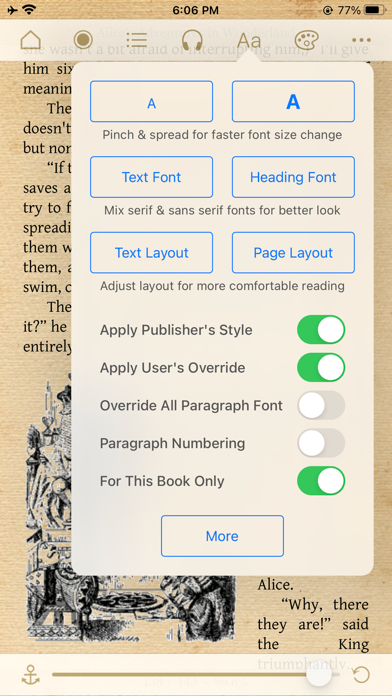
MapleRead is dedicated to enable unique audio-visual reading experience for everyone. ------------ Our MapleRead app family has 3 members, namely SE, CE and CX. - SE is our flagship product with all features. - CE is SE without PDF reader and built-in Library Server. - CX is CE with some limitation. Free to try. - No recurring subscription fees. No ads. Just buy it once. Gratuity optional. - Moreover, SE and CE can be run side-by-side via split-view multitasking. - Recommend SE for use on multiple devices with easy and fast book sharing via Library Server. - Recommend the SE-CE bundle for the best value. ------------ MapleRead includes a superb audio-visual EPUB e-book reader. - It lets you easily modify publisher's original book style to better suit your aesthetic taste. - It lets you instantly generate pseudo audiobooks with a choice of narrator voices over 40 languages. - It enables immersion reading so that you may read and listen to the same book in sync. - Background listening works well too. Compatible with Lock Screen Music Player and CarPlay. MapleRead UI is friendly to users of all ages. - Books can be read in regular and large print. - A choice of UI text sizes makes reading in non-book views much more comfortable. MapleRead is a great learning tool. - It lets you look up words, translate sentences, search text, highlight text and write notes. - It helps you collect vocabulary and organize notes with various priorities. - It provides hooks to user-defined dictionaries, translators, and other tools. - Immersion reading improves your comprehension, especially of foreign-language books. MapleRead is an effective and fast library management tool. - It is designed for you, a book lover, who may own a huge and/or growing book collection. - It lets you keep all your books in one place and well-organized automatically. - It lets you display your books elegantly in style. - It lets you easily repair individual book metadata. - If supports multiple book sets and multiple tags. - It offers multiple ways to import and export books, and works well with Calibre. MapleRead supports secure sync across devices via MapleRead Cloud and iCloud. - It syncs reading positions, notes, vocab, bookmarks, and book set membership (but not the books). - It syncs reading positions additionally via iCloud for even better user experience. - It enables web access to synced data via web browsers from desktop and mobile devices. MapleRead offers unprecedented user-defined customization options. - They include unlimited user-defined fonts, book themes, cover images and library scenes. - Each book theme includes various types of user-defined highlight colors. - Each book can have its own theme, and each EPUB book can have its own style. [For more technical details, screenshots, FAQ and reviews, please visit our website.]
Screenshots