Playback
MultiTracks.com

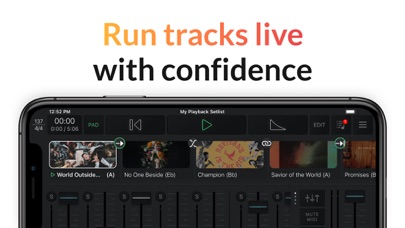
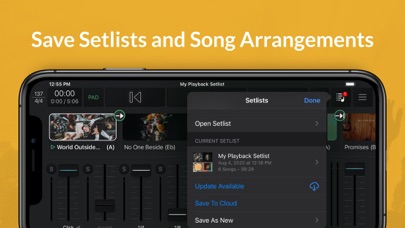
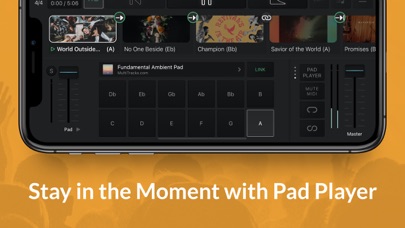
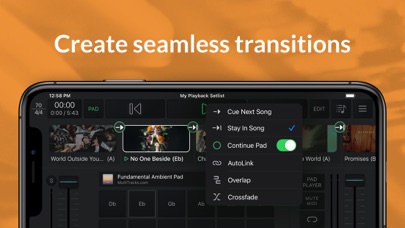
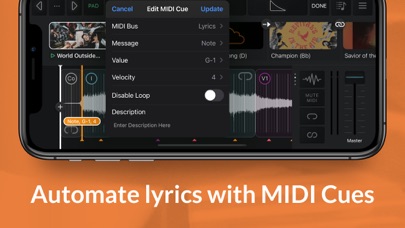
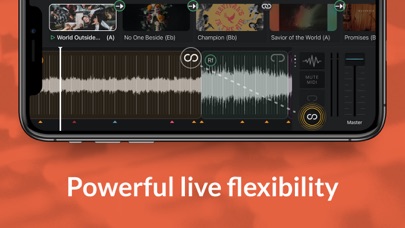
Playback turns your Apple device into a simple, yet powerful MultiTrack player that works seamlessly with the rest of the MultiTracks.com ecosystem of products like ChartBuilder®, RehearsalMix®, and the Church Streaming License®. Link your Planning Center account and have setlists you create automatically appear in Playback. Pairing Playback with our ProPresenter Templates gives it access to pre-made MIDI Cues that perfectly sync lyrics to your tracks. Playback has been optimized to be the best tracks solution for a worship team. While it has powerful features like automation, custom song arrangements, MIDI in/out, and even support for SMPTE timecode, it’s easy and intuitive for new volunteers. A Playback Rentals subscription is an easy and affordable way to quickly access the MultiTracks from our ever expanding library of over 24,000 original master recordings. Any previous tracks purchases from MultiTracks.com are instantly available in your Playback library. Already have your own tracks? Upload them to your library with a Cloud Pro subscription so that they can be accessed in Playback. Playback Sync® automatically scrolls charts in the ChartBuilder app to always match where you are in a song. No extra cables needed since it’s all done over Wi-Fi. This ensures your team is literally all on the same page! Pad Player® lets you to stay in the moment with ambient pads underneath every song and transition in your setlist. INTRO (Free) - Build & save setlists - Solo, mute & adjust track volumes - Set custom start & end times - Tempo/key change to all 12 keys - Play ambient pads underneath songs - Access any song in the catalog with a Playback Rentals Subscription - Song transitions - AutoPan - Add click-and-pad-only songs to setlists - Adjust click track subdivisions - Live Crossfade between songs - Reference the original song mix PREMIUM (Starting at $9.99/mo | Visit MultiTracks.com/Pricing) - All “Intro” features - Add, remove, rearrange, rename, & TRIM song sections - MIDI Map controls to a MIDI Controller - Loop/Infinite Loop Song Sections - Save Custom Song Arrangements w/Cloud Pro Intro or higher - Add an Infinite Click Track - Automation: Place cues anywhere in a song to trigger automations for track volumes, mute/unmute, Pad Player, & more! - Playback Remote - Send MIDI Cues to lyrics, lights & more with (Requires Live Bundle or MULTITRACKS ONE) - Live Re-Order: While audio is playing, jump to a particular Song Section - MIDI Map to a specific Song Section - Freely jump between Song Sections & Songs live using a MIDI Controller - Buses: Route your tracks out of 10 buses for better mix control - SmartRouting®: We’ve pre-assigned every track type to a bus. *Supported USB Audio Interfaces & Playback will automatically route your tracks to the available outputs - MultiOuts®: Route tracks & buses to multiple outputs with one of our *Supported USB Audio Interfaces. - Create & edit MIDI Cues directly in Playback. Save MIDI Cues to your Library with a Cloud Pro subscription - Advanced Pad Player Interface Playback Premium is also included in the Live Bundle & the MULTITRACKS ONE Bundle. *Please Note* Because access is given to Original Artist Master MultiTracks through our free ”Demo Setlist” & "Play of the Week," account registration is required for you to verify your identity and ensure compliance with Terms of Use. Price may vary by location. Subscriptions will be charged to your credit card through your iCloud account. Subscription will automatically renew unless canceled at least 24 hours before the end of the current period. You won't be able to cancel the subscription once activated. Any unused portion of a free trial will be forfeited if you upgrade from a free subscription to a paid version. Manage your subscriptions in Account Settings after purchase. For more details on our Privacy Policy & Terms of Use for MultiTracks.com please visit: http://www.multitracks.com/privacy/ and http://www.multitracks.com/terms/
Screenshots