DART Sim Remote
STAR CPR San Diego

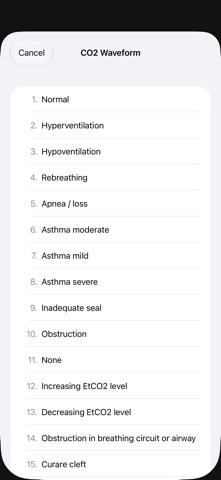
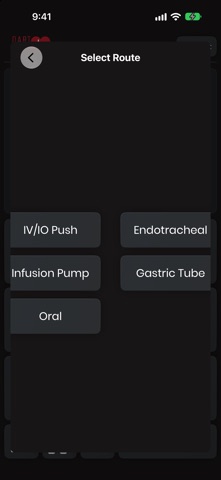
DART Sim Remote is the instructor's remote control for the DART Sim patient monitor. Pair it over Bluetooth with the iPad running DART Sim and change the simulated patient from anywhere in the room, so you can watch your learners instead of the screen. ONE CONSOLE Heart rate, SpO2, blood pressure, EtCO2, respiratory rate and temperature on one board. Drag a slider or tap plus and minus for single steps, and the monitor follows. Systolic and diastolic move together until you unlock them. LIVE OR STAGED Live mode sends each value the moment you let go. Staged mode lets you set up several changes, see what the monitor is still showing under each one, and release them together. Add a trend of 15 seconds to 2 minutes and the values ramp in gradually, the way a real patient deteriorates or recovers. RHYTHMS, WAVEFORMS AND SCENARIOS Choose any of DART Sim's 37 rhythms from the keypad, pick the capnogram shape, start a scenario from the monitor's own list, and trigger CPR, 12-lead, NIBP and media. Pause, resume or stop the monitor from the bottom bar. MEDIA AND MEDICATIONS Browse the monitor's X-ray library and show an image for the current rhythm, or send a photo from this device. Record medications with route and dose in the CodeTrack. BUILT FOR THE ROOM A dark, high-contrast layout in the monitor's own channel colours. A full landscape console on iPad and a one-handed layout on iPhone. A built-in pairing guide with screenshots gets a new instructor connected in under a minute. Requires the DART Sim monitor app running on an iPad with Bluetooth. No account, no internet connection and no data collection: the remote talks only to the monitor in the room. DART Sim is designed for education and simulation only. It is not intended for diagnosis, treatment, or use with real patients.
Screenshots