StealthMute
Felipe Boechat

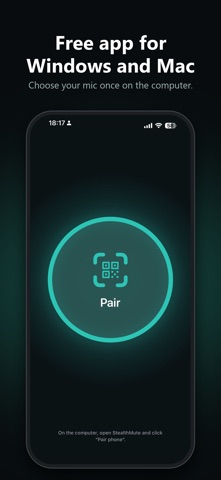
Every mute leaves a trace: the click of a mouse, the clack of a shortcut key, a bump on the desk. StealthMute turns your iPhone into a silent mute button for your computer's microphone, so the recording only hears what you meant it to hear. HOW IT WORKS • Install the free StealthMute app on your Mac (Mac App Store) or Windows PC (Microsoft Store) and choose your microphone. • Pair once by scanning a QR code. • Tap the big button on your iPhone to mute or unmute. No sound reaches the mic. MADE FOR RECORDING • One big button you can read at a glance: green when live, red when muted. • Works with any app that records from the microphone: podcasts, streams, video calls, voice-overs, music. • It always shows the computer's real state: if the mic is unplugged, StealthMute tells you instead of guessing. PRIVATE BY DESIGN • Phone and computer talk directly on your local network, over an encrypted connection with signed commands. • No account, no cloud, no ads, no tracking. REQUIREMENTS • StealthMute for Mac, macOS 14 or later (free on the Mac App Store), or StealthMute for Windows 10 or 11 (free on the Microsoft Store). • iPhone and computer on the same Wi-Fi network.
Screenshots