Fingertip Instruments
竞元 黎

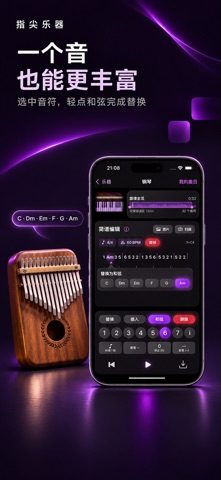
Write a melody on iPhone, send it to your Apple Watch, and tap your fingers to play it one note at a time. Start with the built-in piano or add instruments such as guitar, violin, kalimba, and drums from your paired iPhone. Choose from 12 instruments in all. Import or create numbered scores, audition and edit pitch and rhythm. Resize or move the saved range, from the default 30 seconds to the whole song. Import multiple score pages in selection order. Play offline once your instruments and melodies are on the watch. No account is needed. The app interface is available in English and Chinese. Reorder and pin Watch instruments: long-press to adjust the order, drag to move, pin favorites or restore defaults. Your order survives relaunches and language changes. Switch between Chinese and English on the iPhone home screen. Your choice is saved and synced to the paired Watch, including after reconnection. Improved octave dots, rhythm, bar lines and key/tempo continuity across score pages. New warnings identify uncertain notes or missing key/rhythm information. Two-staff scores import only the upper melody; audition and compare with the original.
Screenshots