Code Remote: AI Mobile IDE
Thanh Tran

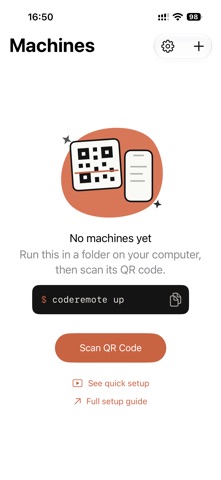
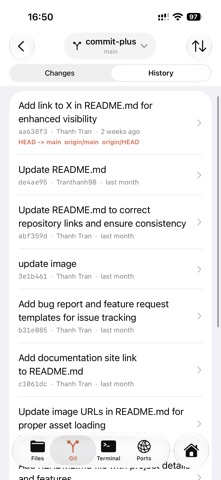
Your computer's code, terminal and coding agents, in your pocket. Code Remote is a mobile IDE for the computer you already code on. Pair your iPhone with your Mac, Linux or Windows machine in seconds, then browse files, edit code, run commands, commit with git, preview your dev server and keep your AI coding agents moving, from anywhere. FILES & EDITOR - Browse your project folder and open any file - Edit code with syntax highlighting and save straight to your computer TERMINAL - Full terminal sessions on your computer, with a keyboard bar built for coding on a phone GIT - See changes and diffs, stage, commit, pull and push CODING AGENTS (Pro) - Follow every Claude Code and Codex session running on your computer - Answer permission prompts and questions right from your phone - Get a notification when an agent needs you or finishes PORTS, PREVIEW & INSPECTOR - See which ports and dev servers are running - Open your local web app on your phone, no deploy needed - Inspect every HTTP request hitting your dev server, with headers and bodies, great for webhooks (Pro) - Share a temporary public link to your dev server with a teammate (Pro) PRIVATE BY DESIGN - No account, no analytics, no ads. Code Remote collects no personal data - Your code stays on your computer; the app connects to it over an encrypted, private tunnel that only your account can open - The CLI is open source: github.com/CodeRemoteApp/coderemote GET STARTED IN A MINUTE 1. On your computer: npm install -g coderemote 2. In your project: coderemote up 3. Scan the QR code with the app FREE AND PRO Files, Git, Terminal and Ports are free with no limits, on one computer (any number of folders) with one preview at a time. Code Remote Pro is a one-time purchase, no subscription. It unlocks coding agents, unlimited computers, several previews at once, the HTTP inspector, share links and an overview of all your machines. Terms: https://coderemoteapp.github.io/web/terms.html Privacy: https://coderemoteapp.github.io/web/privacy.html
Screenshots