Alarm Clock: Actually Up
Hemal Modi

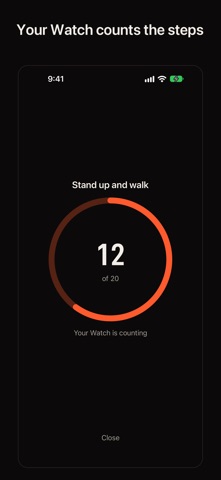
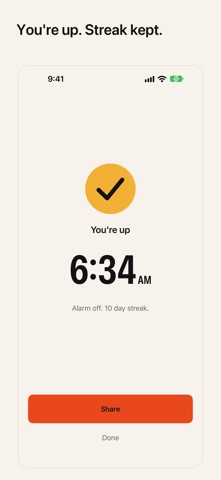
Actually Up is an alarm clock that only stays off once you are on your feet. Set an alarm, pick how it checks you, and go to sleep. When it rings, Stop pauses it for two minutes. Standing up ends it. The Watch check Choose Stand up and walk and your Apple Watch counts 20 steps on your wrist, then taps you to confirm you are up. It works with the phone in another room. Stop pauses for two minutes, standing up ends it. You need a paired Apple Watch for this check. Without one, Actually Up uses the phone walk instead. How it works Alarms use AlarmKit, Apple's framework for alarms from other apps. They ring on silent and in Focus, and Actually Up runs no background process to keep them alive. If you pause the alarm, it comes back until the check passes. Three checks - Stand up and walk: your Watch counts 20 steps. - Walk with your phone: your phone counts 25 steps in your hand. - Scan a code at a spot: print a code, stick it on the bathroom mirror, scan it to stop. Watch app A tap on your wrist at alarm time, a live step ring during the check, a You're up confirmation, and a complication that shows your next alarm. Streak and record See your wake time for each day, your streak, your best streak and a weekly chart. Share your streak as a card if you want to. Widgets and controls A Lock Screen widget and a Control Center control show your next alarm. Siri and Shortcuts Set an alarm, skip tomorrow, or ask how you woke up this week. On iPhone Duo, the tabletop fold becomes a nightstand clock with a dim, red-shifted display. Night mode uses warm, red-shifted color so the screen does not wreck your night vision. Free, no account Actually Up is free. No subscription, no in-app purchases, no account. Privacy Your alarms and wake records stay on your device. Motion data is processed on your device. Nothing is tracked.
Screenshots