Catchtype
Hebbian AI Co., Ltd.

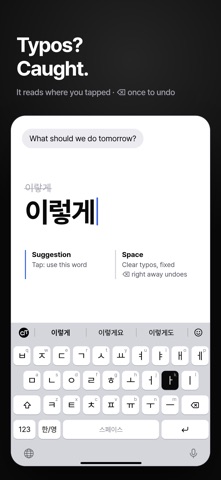
Catchtype (캐치타입) is a Korean–English auto-switching keyboard (한영 자동 전환): type Korean and English without pressing the language key. It decides word by word whether you meant Korean or English and fixes it as you type: Korean typed in the English state (ㅋㅋㅋ, 넵), Korean attached to English words (deploy했는데, AI로), and English typed in the Korean state (review). When it becomes sure, it also fixes the words before. HOW TO USE 1. Go to Settings > General > Keyboard > Keyboards > Add New Keyboard and choose Catchtype. 2. In a text field, tap the globe key to switch to Catchtype. 3. Just type, without minding Korean or English. If spq typed in the English state gives 넵, it is on. You can also try the Catchtype keyboard inside the app before turning it on. WHAT IT DOES • One layout: each key shows its Dubeolsik jamo and its English letter. • Splits words that switch language inside them (AI로, API를, React에서). • Leaves text alone when unsure. It is built to avoid changing what should stay as typed. • Undo a change with the first slot of the bar above the keys, or with the language key (twice quickly after a space). • Hold delete to keep deleting. • iOS uses its own keyboard in some fields, such as passwords and phone numbers. PRIVACY • Allow Full Access is optional and used only for key vibration and syncing settings between the app and the keyboard. The keyboard contains no network code and works fully without it. • Every decision is made on the device. What you type never leaves it. • No network access, no data collection. To find dropped keys, the keyboard only counts touches on the device (no text), and these counts are not sent either. Contact: hebbianai@gmail.com
Screenshots