LaziBook
Pham Hung

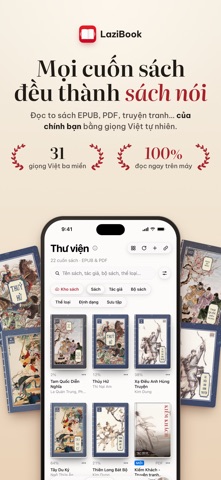
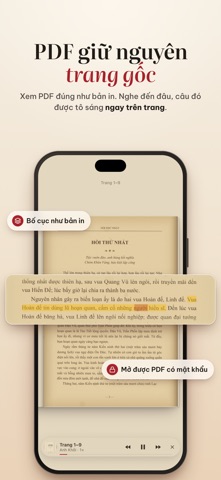
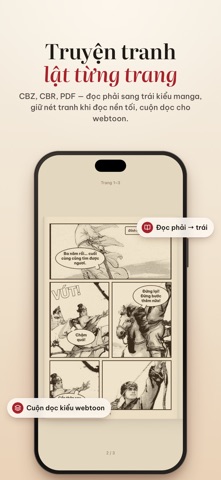
LaziBook turns every book you own into an audiobook. Open EPUB, PDF, Kindle, Word files or comics and listen in natural voices — speech is generated right on your iPhone or iPad, with no internet, no account and no ads. LISTEN • Tap Listen and reading starts from the page you are on; the current sentence is highlighted, each word lights up as it is spoken, and pages turn by themselves. Tap any sentence to read from there. • Keeps reading with the screen locked: control it from the Lock Screen, Dynamic Island, Control Center or your headphones. • Background sound: 30 music themes and ambient sounds (rain, ocean waves, campfire…) that play along with the voice. • A separate voice for dialogue, custom pronunciations for any word, and Speak for any selected passage. • Speed 0.75–2×, sleep timer, and an Up Next queue that moves on to the next book. • Export audiobooks as M4B with chapters to play in other apps. • Now Playing and Bookshelf widgets; a Read button for Control Center, the Action button or Siri. VOICES ON YOUR DEVICE • 30 Vietnamese voices from the North, Centre and South: 30 Turbo voices with 48 kHz audio (iPhone 13, iPhone SE 3rd generation, iPad with A15 or M1 and later) and 6 lightweight Nano voices that run on every device. • 10 English voices. LaziBook picks the right voice for the language of each book and each sentence. • Studio: preview every voice, add pauses and emotions, write multi-voice scripts and save them as MP3 with cover art and background sound. • Create your own voice from 5–15 seconds of recording — processed entirely on your device, never uploaded. READS LIKE A REAL BOOK • Book effect with page edges, spine and shadows; pages curl under your finger, two pages on a landscape iPad, or vertical scrolling. • Six light and dark themes; adjust font, size, line spacing, margins and justification. • Highlights in five colours, notes, bookmarks and a Notebook that gathers them all; EPUB footnotes open in place. • Look up words with Lazidi (Vietnamese, English, Chinese, Japanese) or the built-in Dictionary; pinyin and Sino-Vietnamese readings above Chinese characters. • Math formulas rendered and read aloud. • Fixes Vietnamese typos in ebooks; Clean up book removes ad lines repeated in every chapter. ON-DEVICE TRANSLATION • Translate English, Chinese, Japanese and Korean books into Vietnamese: read side by side, sentence by sentence, or listen to the translation. Works offline after a one-time download (about 440 MB). • Name and term lists for Chinese novels; see the original of any translated sentence. PDFS AND COMICS • PDFs keep their original printed layout and can be read aloud, with the current sentence highlighted right on the page. • Comics in CBZ, CBR, CB7, CBT and PDF: right-to-left reading for manga, vertical scrolling for webtoons. • Opens password-protected PDFs. LIBRARY • 15 formats: EPUB, PDF, MOBI, PRC, AZW, AZW3, DOCX, TXT, RTF, Markdown, FB2, CBZ, CBR, CB7, CBT. • Add books from Files, the share sheet, Google Drive, Dropbox, OPDS servers (Calibre, Komga, Kavita…), or paste a Wikisource, Project Gutenberg or story-site link. • Books live in iCloud Drive › LaziBook, shared with your iPad and Mac; reading positions, highlights and notes sync through your own iCloud. • Clean up and convert: rewrite a book as a tidy EPUB 3, turn TXT, Word or Kindle files into EPUB 3, or export an A5 PDF to print. • Edit book details and covers; book status, smart shelves, reading and listening statistics, full-text search across your library; back up to a file. • Free Books: download, read and listen to classics such as Romance of the Three Kingdoms and Số Đỏ. PRIVACY LaziBook has no account, no ads and no tracking. Your books, notes and custom voices stay on your device and in your own iCloud. Note: DRM-protected books (e.g. from the Kindle Store) cannot be opened. On-device translation requires an iPhone or iPad with an A13 chip or later and at least 4 GB of RAM.
Screenshots