Timecard: Simple Punch Clock
Jacob Koop

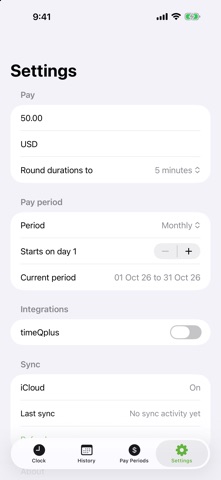
Timecard is a punch clock for people who get paid by the hour and want to know where they stand without doing the math. Tap Start when you begin and Stop when you finish. Timecard keeps the running time, totals the day, and shows your hours and pay for the current pay period at a glance. PUNCH IN AND OUT • One tap to start, one to stop • Times snap to a 5-minute grid: starts round back, stops round forward (adjustable, or turn it off) • Forgot to punch in? Start from an earlier time, or fix the start while running • Tap any entry to nudge it by one step or edit it fully, and add past days by hand HOURS AND PAY • Set your hourly rate and currency • Monthly, weekly or two-week pay periods, starting on the day you choose • Pay Periods shows every period with hours and amount • Export a pay period or any date range as CSV, one line per day SIRI • "Punch in with Timecard", "Punch out with Timecard" • "Punch in at a time with Timecard" when you forgot and are already on the road • "Am I punched in with Timecard" APPLE WATCH • Start, Stop, and edit the start or stop time with the Digital Crown • A complication that shows today's hours as a ring and turns green while you are punched in YOUR DATA • Entries sync between your iPhone, Apple Watch and Mac through your own iCloud account • No accounts, no sign-up, no ads, no analytics. The developer never sees your data Optional: Settings → Integrations can connect Timecard to an Acroprint timeQplus time-and-attendance system at your workplace, so a pay period's punches are written to your time card there. It needs a small service installed by your employer next to timeQplus, and it is off by default.
Screenshots