Car Dashboard : Dash cam
Younes Guanoun

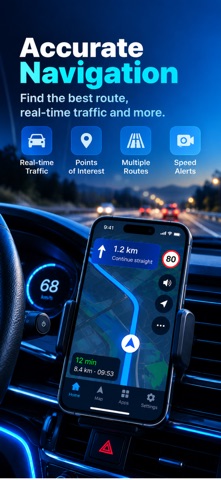
Turn your iPhone into a convenient car dashboard with quick access to your essential driving tools in one clean, easy-to-read interface. - YOUR DRIVING TOOLS IN ONE PLACE Navigation : Open your preferred map app and access route guidance with fewer steps. Music Controls : Access supported playback controls and enjoy a more convenient in-car listening experience. Quick Calls Reach : selected contacts through supported iOS calling actions. GPS Speedometer : View your estimated driving speed when location access is enabled. Weather : Check current weather conditions at a glance. Built-in Dash Cam : Use your iPhone camera to record the road and manage your saved footage. Car Dashboard Mode : Bring your everyday driving tools together in a focused interface with clear icons and convenient controls. DESIGNED FOR YOUR DRIVE DashPilot-style simplicity meets a modern, dark dashboard experience. Set up your preferred tools before you start driving, mount your iPhone securely, and keep your attention on the road. IMPORTANT INFORMATION This app is an independent iPhone dashboard utility. It does not add a built-in display or native vehicle integration to cars that do not already support those capabilities. Navigation, music playback and calling functions may depend on compatible apps, iOS permissions, connectivity and regional availability. GPS speed readings are estimates and should not replace your vehicle's speedometer. Dash cam recording requires camera access and sufficient device storage. Always follow local recording and traffic laws, and never interact with your phone while driving. (Terms of Use / EULA): https://www.apple.com/legal/internet-services/itunes/dev/stdeula/
Screenshots