OnceSwipe: Swipe Photo Cleaner
Pivot & Anchor Private Limited

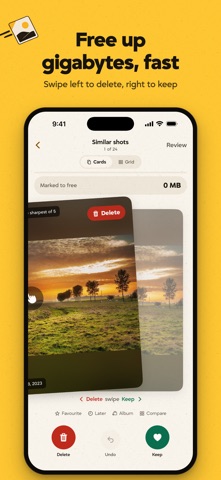
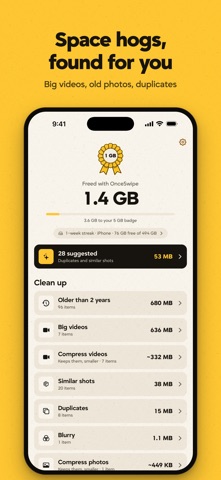
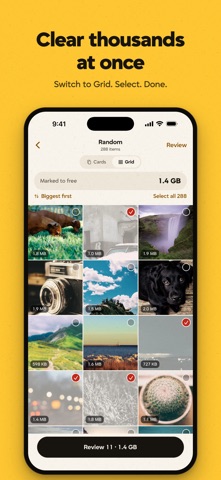
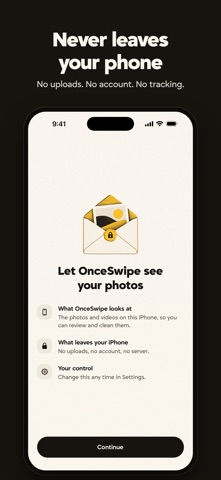
OnceSwipe turns clearing your camera roll into a few satisfying minutes. Tap Free up space, or swipe left to delete and right to keep, then see exactly how much space came back. FREE UP SPACE IN ONE TAP • Exact copies and retakes are ticked for you, and one of each always stays • Similar shots, old screenshots and big videos are left for you to decide • Never ticked: favourites, edited photos, photos in albums, and anything from the last 7 days • Every category opens as its own grid, so you can check it all at a glance and untick anything you want to keep ALSO FOUND FOR YOU • Blurry photos, screen recordings, and old or low-resolution photos SWIPE YOUR WAY • By month, at random, recent, or "On this day" • Tap any photo to see it full screen, zoom in or play the video • Undo anytime. Nothing is deleted until you review it, then it all goes in one go SHRINK WITHOUT LOSING • Compress videos to a fraction of their size, keeping the same date and place • Turn Live Photos into stills and keep the moment REAL NUMBERS • See exactly how much you freed, by type and by month • Ten badges, from 100 MB to 1 TB • Honest about iCloud: only space freed on this device counts CALM REMINDERS, IF YOU WANT THEM Optional nudges like "412 new photos since your last clean", created on your device. Off until you turn them on. ONE PRICE, NOTHING EXTRA No subscription, no in-app purchases, no ads, no swipe limits and no account. PRIVATE BY DESIGN Everything happens on your iPhone or iPad. OnceSwipe has no servers, no analytics and no tracking, so your photos are never uploaded anywhere. ROOM TO CHANGE YOUR MIND Deleted items wait in Recently Deleted for 30 days, so you can restore anything you change your mind about.
Screenshots