OBRIZA: Construction Manager
Felipe Jose Costa Pereira

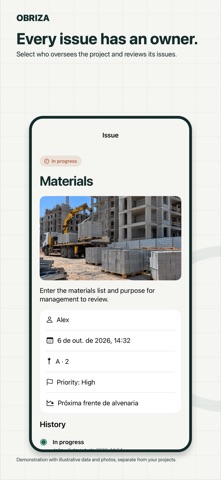
Your project, clear from start to finish. Record the day. Preserve evidence. Track every step of progress. Every site. One clear view. Define construction phases, weights, and a measurement baseline to track construction progress. Turn your day into a site diary. Record activities, workforce, and photos. Your draft is preserved on iPhone. Who worked today? It’s recorded. Add employees to select the team for each day. One photo. Clear evidence. Photograph the construction site and preserve evidence in the daily log. Every issue has an owner. Select who oversees the project and reviews its issues. Request. Approve. Purchase. Management reviews the purpose and materials before allowing finance to request quotes. Review before you approve. Create an amendment with a reason to correct an approved daily log. Reports ready to share. Technical report, photos, period, and client See progress unfold over time. Days worked and progress photos Team and access The team member signs in with their account, opens the link or QR code, and requests to join. The owner approves their role and authorized projects. Tools Register company assets, their condition, and photos. The subscription belongs to the company. Linked team members do not need a separate plan. 3 days free, then billed monthly. The subscription renews monthly until canceled in Apple settings. The App Store confirms the price and free-trial eligibility. Privacy Policy: https://obriza-suporte.felipehauke.chatgpt.site/privacy.html Terms of use: https://www.apple.com/legal/internet-services/itunes/dev/stdeula/
Screenshots