P's Pocket
宇华 伍

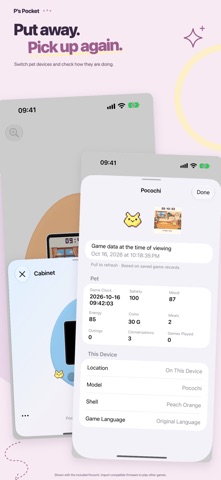
Play familiar virtual pets on your iPhone and iPad. Import compatible original P’s firmware and create your own pet machine. The pixels, three buttons, and daily routines of pet care are all here. Each machine has its own progress: take it out to play, then put it back in your cabinet. • A cabinet for your pet machines Choose a color, switch between machines, and touch and hold to arrange them. Progress saves automatically, so you can pick up where you left off. • Up to four machines at once Play with two, three, or four split screens, each with separate controls. With two machines, flip one view for two people to play face to face on the same device. Choose multiplayer in the game and the app connects automatically. • Lend a machine to a nearby friend Check the matching code and confirm a face-to-face handoff to lend or return a machine. Your copy stays locked while it is lent out. When it comes back, you receive your friend's latest progress. • Browse your pet's details View your current pet, care stats, past generations, and saved friends. Read diaries with photos and browse pictures of items and collectibles. Available details depend on the game and its saved records. • Make it look the way you like Choose a simple or detailed 3D appearance, switch between a full-machine view and a closer screen view, or enable the LCD filter. The interface follows your system's light or dark appearance. • Add the game to your Home Screen Choose a screen widget in different sizes or a separate button widget. Widget buttons briefly wake the game and update its displayed screen after you play. • Learn with Pocochi On first launch, use a practice pet to try importing firmware, creating a machine, and using the buttons. Separate tutorials cover the cabinet, pet details, organizing, split screens, and display options. Leave whenever you like. Machines and files added by the tutorial are cleaned up when it ends. • Keep your pets and progress Enable automatic iCloud backups and full restore, or back up to a folder you choose, so you can continue after reinstalling or moving to a new device. • Real-time growth and call reminders Enable offline growth to count time away toward your pet's growth. When iOS allows, the app updates and saves progress in the background, then catches up on remaining time when you return. Allow notifications to receive in-game call reminders during background updates. iOS controls these updates, so continuous activity and notification timing aren't guaranteed. Manage offline growth and call notifications in Settings. Commercial game firmware is not included. To play original games, import your own compatible complete firmware. The built-in practice pet teaches you how to use the app.
Screenshots