pocketty
Luke Edwards

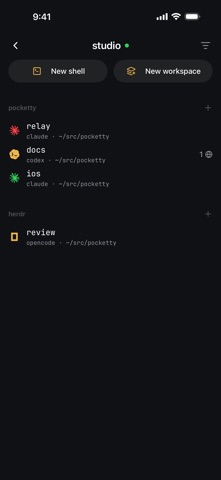
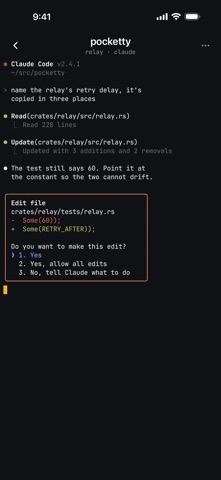
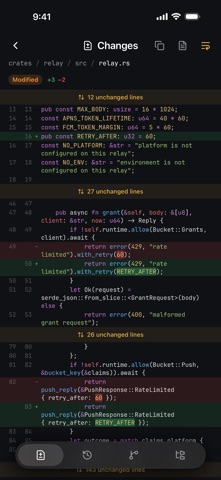
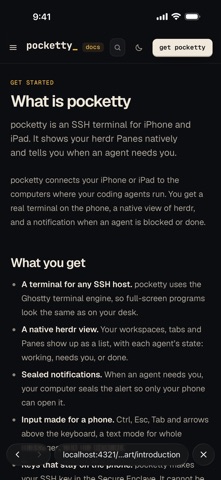
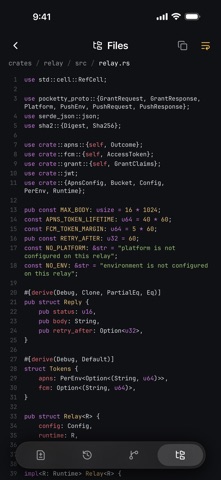
pocketty is an SSH terminal for iPhone and iPad, made for herdr. Know the moment an agent is blocked or done, and answer it in a real terminal, right from your phone. HERDR, NATIVE • Your herdr workspaces, tabs and Panes show up as a native list, with the live state of each agent: working, needs you, or done. • Open any Pane full screen, at the size of your phone. Lock the phone, and your desk gets it back. • Start a tab or a workspace, rename a tab, or swipe a Pane away. • Works with every agent that herdr knows, including Claude Code, Codex, OpenCode and Gemini CLI. • No herdr? You get a normal login shell, or tmux and zellij with a startup command. SEALED NOTIFICATIONS • Get a notification when an agent is blocked or done. Tap it, and pocketty opens that Pane. • Your computer seals each notification so that only your phone can open it. Our relay passes the sealed bytes to Apple and keeps nothing. • A notification never contains text from your terminal. REVIEW THE WORK • See what an agent changed in its last turn, in its whole session, or since the last commit. • Browse and search the files of any Pane, with code in color. • When a Pane starts a dev server, open it in a preview. The page loads through your SSH connection, with no tunnel to set up. A REAL TERMINAL • Ghostty's terminal engine, drawn with Metal. Agents, editors and TUIs look the way they do on your desk. • Ctrl, Alt, Esc, Tab, arrows, and the symbols that phones hide, right above the keyboard. • Text mode sends a whole message at once. Dictate it, paste a screenshot, send. • Send photos and files from Photos, the camera or Files. pocketty uploads them and types the path. • Nerd Fonts with ligatures, hardware keyboards and the kitty keyboard protocol. YOUR KEYS STAY YOURS • Your SSH key is made in the Secure Enclave. It cannot leave your phone. • Host keys are pinned. If a host key changes, pocketty stops and asks you. • Face ID can lock the App. • Your terminal goes straight to your computers over SSH. It never touches our servers. • No account, no analytics, no ads. CONNECT YOUR WAY • Any SSH server works. We recommend Tailscale: it gives each computer an address that works from anywhere. • Install the free pocketty daemon on your Mac or Linux computer, and add the computer in a minute. You approve your phone on the computer itself, with a code. • pocketty checks the connection every five seconds, and reconnects by itself when it drops. PRICE Everything works free for 14 days. Then one purchase keeps it, with every future update. No subscription. Nothing is charged when the trial ends.
Screenshots