Snapshots: Instant Film Camera
Ryan Fredericks

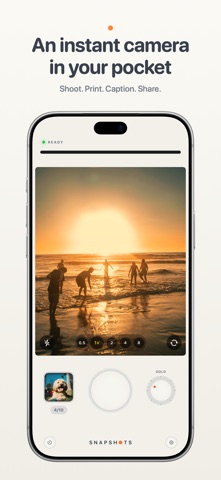
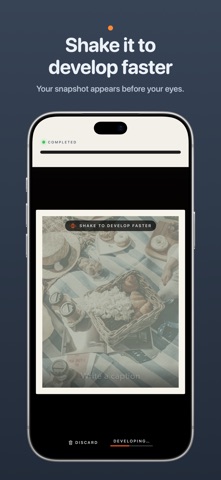
Snapshots turns your iPhone into an instant camera. Take a snapshot and watch a little printer feed your photo onto the screen. Watch it develop, or give your phone a shake to reveal it faster. Add a handwritten-style caption to remember the story behind it. Inspired by the instant cameras we grew up with, Snapshots captures one moment at a time. Keep your print or let it go, with a little room to enjoy the moment before taking another. TAKE A PHOTO • Soft, tactile controls: a big shutter, a film-style dial and slide switches you can tap anywhere. • Rear and front cameras, with a zoom step for every lens on the back and a wide view for selfies. • Tap to focus. Press and hold to lock focus and exposure, then slide to brighten or darken. • Flash: off, auto or on. • Self-timer: 3 or 10 seconds. BOOTH MODE • Set the timer to Booth, press the shutter once, and strike three poses on a countdown. • All three print together as one tall snapshot. • Booth switches to the front camera for you. FIVE FILM STYLES • Classic – warm and gentle. • Gold – rich, late-afternoon color. • Coast – cool and crisp. • Sepia – the brown tones of an old photograph. • Mono – classic black and white. You see the style live in the viewfinder before you shoot. PRINT • Every shot prints as a framed instant photo with an even white border. • Shake your phone and it finishes developing at once. • Write a caption across the bottom in one of six fonts, from handwriting to typewriter. • Save the snapshot or discard it. YOUR PRINTS • A gallery of everything you've kept. Swipe through them, share them or save them to Photos. • Turn a print over to write a memory on the back, as long as you like. It stays private and never goes out with a shared picture. • Took it upside down? Turn the photo inside its frame. • Turn your phone on its side to see your prints laid out like photos on a table. NIGHTSTAND CLOCK • Turn your iPhone on its side while it charges and Snapshots becomes a bedside clock, with your prints shuffling past beside the time. DESIGNED FOR IPHONE DUO • Landscape: the viewfinder on one screen and a full camera body on the other, with flash, zoom, self-timer and camera switches. • Seated: stand your iPhone Duo half open, take the shot, then unfold it flat and the print feeds out across the whole display. • Portrait: a large viewfinder above the controls, and a print that fills the screen. • Closed: a pocket camera on the front display. Turn it on its side to flip through your prints. • Standing: stand it up like a tent for a clock with your snapshots beside it. • Star White and Night Sky themes, named after the finishes iPhone Duo comes in. PRIVATE BY DESIGN Your photos stay on your phone. No account, no ads, and nothing is sent anywhere.
Screenshots