Sudoku 360
Nazariy Mandebura

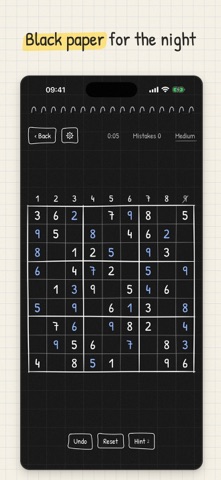
Press a cell, drag towards a digit, let go. That is the whole move. Sudoku 360 replaces the number pad with a radial menu that opens right under your finger. One press-drag-release writes a number or a pencil note, so your time goes into thinking, not tapping. RADIAL INPUT • Press any empty square and the digits 1 to 9 fan out around your finger • A short drag into the inner ring writes a note, a longer drag to the outer ring writes a number (swap them in Settings) • Pick the same digit again to erase it, or come back to the centre to cancel • A short tutorial shows you how on first launch ENDLESS PUZZLES • Five difficulties rated by the techniques they need: Easy, Medium, Hard, Expert and Master • Every puzzle is generated on your phone and checked by a logic solver, fully offline • A Daily Puzzle with a calendar and a streak • Custom puzzles: set difficulty, givens and the number of solutions with sliders HINTS THAT TEACH • A hint names the technique and the row, column or box to look at, so you learn the next step instead of just getting the answer • Reveal places the number when you want it EVERYTHING ELSE YOU EXPECT • Notes, undo, a timer and mistakes you can highlight or only count • Auto-remove notes and digit lines for the selected number • Stats for every difficulty • Light notebook paper or black paper with a white pen, following your system • Soft haptics as you drag and place • English, Deutsch, Français, Español, Português, Italiano, Polski, Українська and 日本語 FREE TO PLAY Sudoku 360 is free with optional ads. You get 2 free hints every day. Hint packs and a one-time "No ads" unlock (no ads and unlimited hints) are in the Shop. No account, no sign-in, no internet needed to play.
Screenshots