CerFlomey
Eivind Osbak

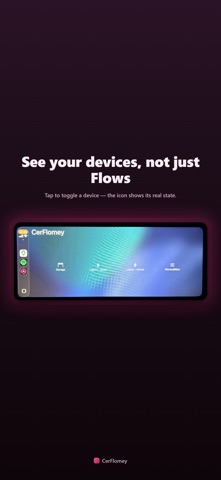
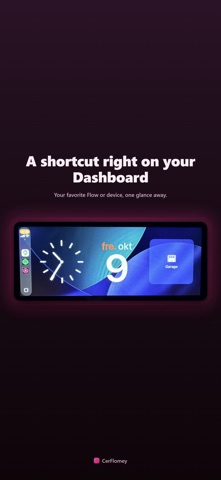
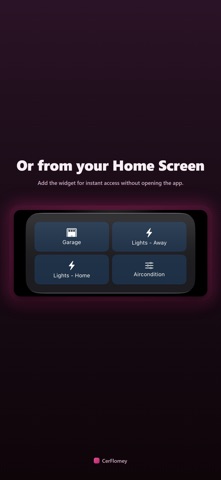
CerFlomey brings your Homey smart home Flows and devices to CarPlay, your iPhone's Home Screen, and Siri -- so the things you do at the start and end of every drive are one tap away instead of a detour through your phone. The two everyday examples that inspired CerFlomey: - Pull up to the house and open the garage door before you've even parked. - Pull away in the morning and set the house to "away" mode -- lights off, heating down -- without breaking your route to reach for your phone. Anything you've already built as a Flow in Homey works the same way: lights, locks, climate, scenes -- CerFlomey just gives your favorites a dedicated, glanceable place to live while you're driving. Prefer controlling a device directly instead of a Flow? Add it the same way -- CerFlomey shows its live status and lets you toggle it with a tap, right from the tile's icon. FOR CARPLAY Pick up to six of your favorite Flows and devices in the app, and they show up as a simple tap-to-run tile grid right on your CarPlay screen -- no need to touch your phone while driving. A device's icon shows its current state and briefly flashes while it's changing. A small widget can also sit next to your CarPlay Dashboard, showing the one Flow or device you use most, like your garage door. FOR YOUR HOME SCREEN Add the CerFlomey widget to your iPhone's Home Screen for instant access to your chosen Flows and devices, without opening the app. A widget refreshes on Apple's own schedule, not a fixed interval CerFlomey controls, so it can occasionally lag behind reality -- the app and CarPlay always show your Homey's real-time status. FOR SIRI Say "Hey Siri, run CerFlomey" and pick the Flow you want from the list Siri shows -- works in any language, since it's the app name that triggers it, not a fixed phrase. Or set up a one-word Shortcut for instant, single-command access to your favorite, which works the same way in any language too. (Devices aren't available through Siri yet, only Flows.) HOW IT WORKS CerFlomey connects directly to your own Homey using a personal API Key you create in the Homey app (Settings -> API Keys). Your credentials and selections stay on your device -- CerFlomey has no server of its own and never sees your Homey data. REQUIREMENTS - A Homey Pro hub with at least one Flow or controllable device set up - A Homey API Key with "View/Start your Flows" and "View/Control your devices" permissions - CarPlay features require a compatible vehicle or aftermarket head unit CerFlomey is an independent app and is not affiliated with or endorsed by Athom B.V. (Homey) or Apple Inc.
Screenshots