Audio Transcriber Recorder
株式会社Cavemen.jp

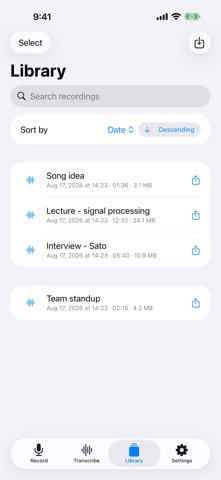
Record it, then read it back. Everything happens on your iPhone, so it keeps working where there is no connection. ■ Record at full quality Records to WAV (16-bit / 24-bit integer, or 32-bit float). The app follows whatever format your microphone actually delivers instead of forcing a fixed sample rate, so playback never comes out at the wrong speed or pitch. Input level and a live spectrum are shown while you record, and long sessions can be split into separate files at a set interval. ■ Transcription that stays on the device Speech recognition runs through whisper.cpp on your iPhone. Fetch a model once and every transcription after that works offline. Live transcription is available too, turning speech into text while you talk. ■ Clean up the transcript Summarize, proofread and translate using models that run on the device. Turn a raw meeting or interview recording into something you can actually read. ■ Video and screen recordings Record video with the camera, or capture the screen. Anything you record can be transcribed the same way. ■ Get it out again Play back, rename and share from the library. Send a recording straight to another device over AirDrop, or share the transcript as a text file. Open the recording screen quickly from a home screen widget or Siri shortcut. ■ Made for - Meeting minutes - Interviews and field recordings - Replaying lectures and talks - Quick voice notes - Practice takes for an instrument or voice ■ Privacy Your recordings and transcripts are processed on the device and are never sent to a transcription service. Sharing and exporting happen only when you ask for them. This app shows ads. Information is sent to the advertising provider and an analytics service to deliver ads and to understand how the app is used.
Screenshots