Casement: Desktop Apps to Go
Shinnosuke Iwaki

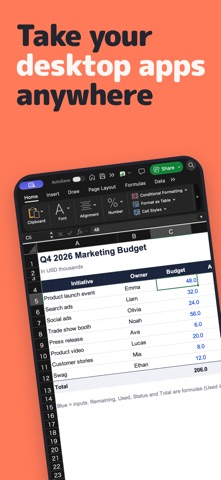
The windows of your desktop apps, right on your iPhone, iPad and Apple Vision Pro. This isn't a remote desktop that shrinks your whole screen. Casement opens each desktop app window as its own app on your device. Spreadsheets, editors, even the AI agents running on your computer — pick up where you left off, away from your desk. ■ Features • Launch any desktop app from the Dock in one tap • Use the menu bar of your desktop apps, just as it is • On iPhone and iPad, type with your device's own keyboard, plus a row of Esc, Tab, Command and arrow keys • Software keyboard and trackpad on iPhone and iPad, and support for hardware keyboards and mice • On iPhone and iPad, open desktop apps straight from Home Screen widgets, a long press on the icon, or Spotlight • On iPad, each window becomes its own app you can arrange side by side. On Apple Vision Pro, place windows anywhere around you • Open your computer's entire screen as a single window, with pinch to zoom • Unlock a locked computer by typing its password from your device • A purpose-built protocol keeps things smooth, even on cellular • Play the sound of your desktop apps on your device, with an option to delay video to sync with sound ■ Security and privacy • Casement only talks between your computer and your devices. No relay servers, no accounts • Connections are encrypted with DTLS 1.2 or later • The first time you connect, you check a 6-digit number, and only devices you allow on your computer can connect • No ads, analytics or tracking Learn more: https://casement.win/en/security ■ Getting started 1. Install Casement Home (for Mac, free) on your computer: https://casement.win/en/download 2. Install this app and choose your computer 3. Make sure both screens show the same number, then click Allow on your computer ■ Requirements • Mac: macOS 26 or later on a Mac with Apple silicon (Intel Macs aren't supported) • Device: iOS 26, iPadOS 26, visionOS 26 or macOS 26 or later • On Apple Vision Pro, the software keyboard is off by default. For comfortable typing and navigation, please connect an external keyboard and mouse (or trackpad) to your Apple Vision Pro • Connection: Put your computer and your device on the same Wi-Fi network. Install Tailscale on both and join the same tailnet, and from the second time on you can connect from outside your home too ■ Pricing Try it free for 7 days. After that, keep using it with a one-time in-app purchase. One purchase works on iPhone, iPad, Apple Vision Pro and Mac. No subscription. ■ Please note • The computer's speakers stay silent while sound plays on your device. Silent mode mutes sound on iPhone and iPad. Your device's microphone is not sent to the computer • Casement can't wake a sleeping computer • One device can connect to a computer at a time Support: https://casement.win/en/support
Screenshots