Local Video Upscaler
David Balderston

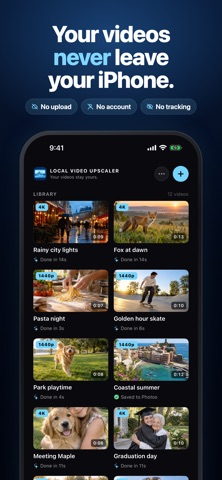
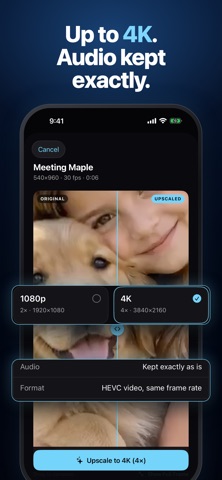
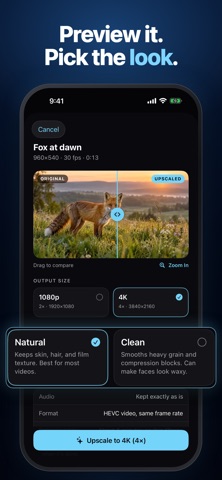
Make old videos sharper without uploading them. Local Video Upscaler is a private AI video enhancer for iPhone, iPad, and Mac. It upscales low-resolution videos to HD and 4K on your device, so your family videos stay with you instead of waiting in a cloud queue. Use it when you want to: - Upscale old phone videos, camcorder transfers, and low-res clips to HD or 4K - Sharpen soft footage and smooth heavy grain and compression blocks - Clean up videos that got compressed when someone sent them to you - Compare before and after on a real frame before you start - Keep the original audio, exactly as it was and in sync - Queue several videos and keep using your device while they process - Keep private videos on your own device - Work offline, including airplane mode Built for a simple workflow: 1. Choose videos from Photos or Files 2. Pick 2x or 4x, and a Natural or Clean look 3. Drag the slider to compare before and after 4. Save the upscaled copy to Photos or Files, or share it Why it is different: - On-device processing - No uploads - No account - No subscriptions - No ads - No in-app purchases - No watermark and no length limit - No tracking and no data collection Local Video Upscaler is for people who want a focused video upscaler, 4K video enhancer, and old video restore tool without sending personal videos to a server. Private by design. Your original video is never changed. Upscaling is heavy work: on a recent iPhone, a minute of 480p video takes several minutes. The app shows an estimate before you start. On iPhone and iPad, upscaling keeps going in the background and you get a notification when it's done. Output goes up to 4K, so videos that are already 4K are skipped. It sharpens soft, low-resolution footage but cannot recover heavy motion blur or out-of-focus shots.
Screenshots