Kivvo - Screenshot OCR
Basile Devereux

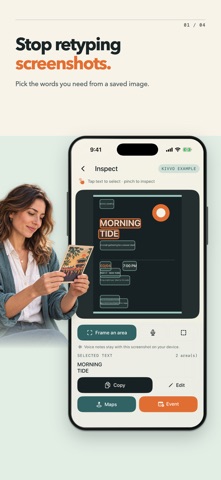
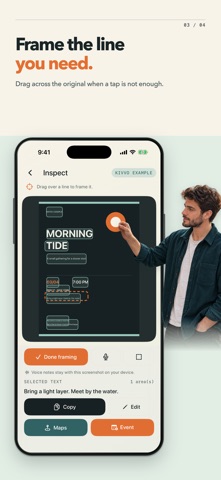
Kivvo turns screenshots and photos into details you can use. Keep the original image in view while you find a place, a date, or a line of text, so you can check where the words came from before you act. Start with a saved image, take a photo of a poster, or try the built-in example. Kivvo recognizes text on the image and shows its position, letting you work from the source instead of retyping it into another app. Use Kivvo to: - Choose the words that matter. Tap one or more text areas, zoom or move the image, or draw a frame around a detail with the on-screen magnifier. - Correct what recognition missed. Edit selected text while keeping its place on the image, then copy it without leaving the capture. Select another detail and keep going. - Check a place before searching. Review the selected text and hand it to Apple Maps only when you choose Open Maps. - Prepare an event with care. Review the title and place, choose a date and year, set a start time and time zone, then open the system Calendar editor to decide whether to save it. - Keep context close. Record an optional voice note on a capture, return to the same original image, and extract more from it later. - Revisit your work. Library brings saved captures, recognized text, and recent actions together. You can also delete a capture or clear local data when you no longer need it. A poster can hold more than one useful detail. Kivvo lets you work through them at your own pace while the original stays in sight. The screenshot tools use on-device text recognition and need no account or in-app purchase.
Screenshots