Ten Fingers: Learn to Type
LUIS ALVAREZ ACOSTA

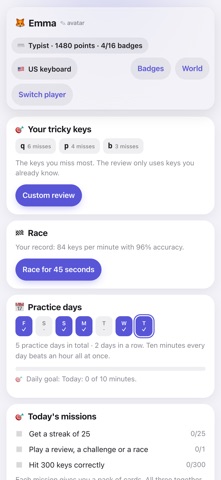
Ten Fingers teaches children to touch type without looking at the keyboard, in 28 levels across six worlds. First the home row, finger by finger; then the top row, the bottom row, capitals, punctuation and finally numbers. Technique comes before speed: in the first three worlds only accuracy counts, and using the finger shown by the colour. Speed starts scoring in world 4, once finger positions are automatic. • On-screen keyboard showing which finger goes where, with hands that light up. • Counts misses per key and builds a custom review from the keys that give you trouble. • Streaks, records, badges, a practice calendar and a 45-second race. • Three worlds to choose from: Galaxy, Magic Forest and Open Case. • Six languages, each with its own keyboard: English (US and UK), Spanish, French AZERTY, German QWERTZ, Italian and Portuguese (Portugal and Brazil). • Several players on the same device, each with their own progress. • Works offline. No ads, no in-app purchases, no data collection. Designed for children from age 8. Use it with a physical keyboard (Bluetooth or a keyboard case): that's how touch typing is learnt.
Screenshots