CardTally - Loyalty Wallet
SAI BABU DASARI

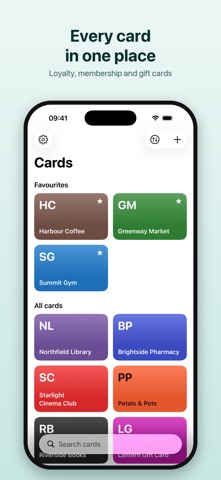
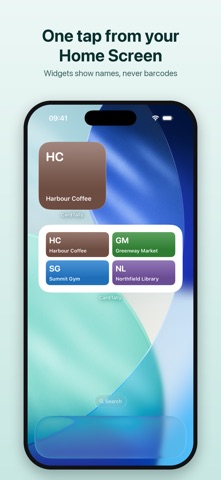
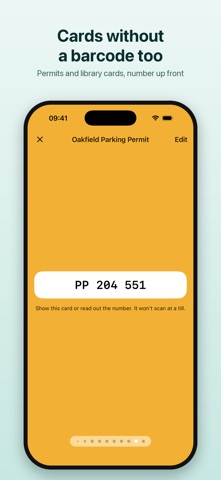
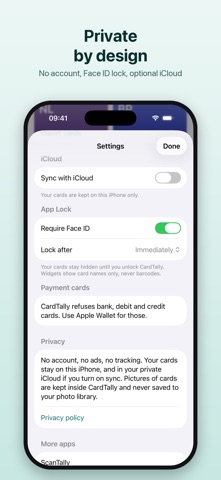
Every loyalty, membership and gift card in one place. Scan a card's barcode once and it's ready at the till at full brightness. Cards without a barcode — parking permits, library and membership cards — are kept too, with the number shown large. AT THE TILL • Tap a card and its barcode fills the screen at full brightness; your own brightness comes back afterwards • Long barcodes turn sideways with a tap, so they're as big as they can be • Swipe between cards without going back • Each tile shows the shop's colour, or your card's own picture if you took one • Favourites first, then everything else — in your order, A–Z, or by what you used last ADDING A CARD • Point the camera at the barcode and it's read in a moment • Pick the shop from the list or type any name, and the colour comes with it • Or type the number, or choose a picture of the barcode you already have • Add many cards at once from screenshots of your loyalty apps: every barcode is read on your iPhone, and the shop is guessed from the words on the screenshot • Or bring cards in from a file: a CardTally backup, a card someone sent you, or a list from another app • Every common barcode: EAN, UPC, Code 128, Code 39, Code 93, ITF, Codabar, QR, PDF417, Aztec and Data Matrix CARDS WITHOUT A BARCODE • Parking permits, library and membership cards: keep pictures of the front and back, with the number shown large • CardTally reads the number off the picture for you to check • It says plainly which cards scan at a till and which you show or read out ON YOUR HOME SCREEN AND LOCK SCREEN • Widgets open a card in one tap, and show names only — never a barcode • A large widget holds eight cards • Add a button to Control Centre or the Lock Screen that opens the card you choose (iOS 18 and later) BACK UP AND SHARE • Save every card, pictures and all, to one file you keep where you like — on your iPhone or in iCloud Drive • Send a card to someone as a small file that opens in their CardTally PRIVATE BY DESIGN • No account and no sign-up • Your cards stay on your iPhone — or in your own private iCloud, if you turn on sync • Optional App Lock with Face ID • Pictures of cards never go to your photo library, and leave CardTally only in a backup or a card you send • No ads, no tracking, no data collected WHAT IT WON'T TAKE Bank, debit and credit cards are refused. Keep those in Apple Wallet. SIMPLE PRICING Your first 5 cards are free. After that, a one-time unlock adds as many as you like. No subscription. Every card you've added stays yours to show, edit and delete, whatever you choose.
Screenshots