Expense Tracker - PLYVA
Emina Halilovic

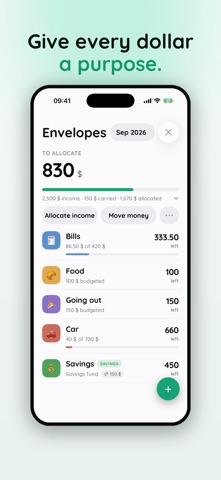
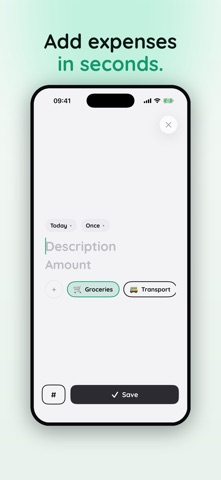
PLYVA is envelope budgeting built for real life. Instead of asking "how much did I spend?", PLYVA answers the question that actually matters: "how much can I still safely spend?" Every unit of income gets a job. You split your money into named envelopes — rent, groceries, going out, savings — and PLYVA always shows what's truly left in each one. When an envelope runs dry, move money from another in a tap. No spreadsheets, no guilt, no surprises at the end of the month. GIVE EVERY COIN A JOB • Zero-based planning: assign your income until nothing's left over • Named envelopes with rollover, so leftover money carries forward • Move money between envelopes instantly when plans change KNOW WHAT'S LEFT • The number you see is remaining — not spent • Add expenses in seconds with a fast, native keypad • Tag and search every transaction REACH YOUR GOALS • Set savings goals and let PLYVA auto-move money from your Savings envelope • Watch the ring fill toward the finish line BUDGET TOGETHER • Create a household and share envelopes, goals, and transactions • Invite people with roles you control (owner, member, viewer) BUILT RIGHT • Fast, private, and offline-first — your budget is always there • Your data is yours: export everything or delete your account anytime • Works in your currency and language — set any currency (KM, €, $ and more) PLYVA Premium unlocks unlimited transactions, envelopes and goals, recurring transactions, and household sharing. Start with a 3-day free trial. Subscriptions renew automatically unless cancelled at least 24 hours before the end of the period. Manage or cancel anytime in your App Store account settings. Terms of Use: https://get-plyva.app/legal/#terms Privacy Policy: https://get-plyva.app/legal/#privacy
Screenshots