BlueTerm: Bluetooth Terminal
mint-soft

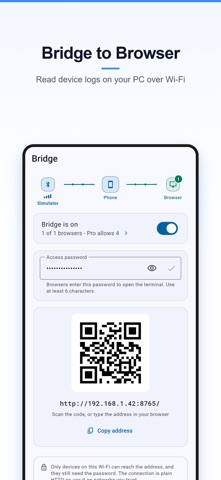
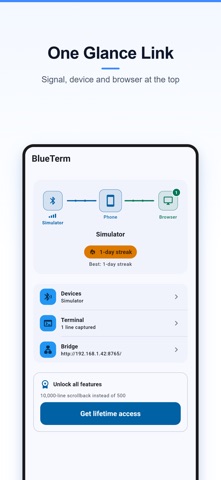
BlueTerm turns your phone into a bridge between a Bluetooth serial device and your computer's browser. Connect the device once on the phone, flip one switch, and any browser on the same Wi-Fi becomes a full terminal and live plotter for it. KEY FEATURES - Browser Bridge - one switch serves a terminal and a live plot to any browser on your Wi-Fi. No cable, no driver, nothing to install on the computer. - BLE and classic Bluetooth - Nordic UART devices connect automatically, and a built-in GATT explorer lets you pick the notify and write characteristics yourself when a device uses its own UUIDs. - A terminal that reads like one - timestamps, hex view, selectable line endings (LF / CRLF / CR / none) and one-tap command macros. - Live plotting - numbers your device sends (temp:23.5, rpm=1200, >speed:3.14 or plain CSV) are charted in real time, in the app and in the browser. - Export what you captured - CSV or JSON through the share sheet, so it lands in iCloud Drive, Google Drive or anywhere you choose. - Try it without hardware - a built-in simulator streams sample sensor data, so you can see the whole flow before you own a device. WHY THIS APP? Every other Bluetooth serial app ends inside the phone screen. But the work - reading long logs, comparing graphs, copying values into your notes - happens on a computer, and computers have no standard way to open a Bluetooth serial port. Access to the bridge is protected by a password you set yourself, with a lockout after repeated failures, and the address is served on your local network only. Terms of Use (EULA): https://app.mint-soft.com/apps/blueterm/terms Privacy Policy: https://app.mint-soft.com/apps/blueterm/privacy
Screenshots