Кошелёк: карты, штрих-коды, QR
Viktor Valishev

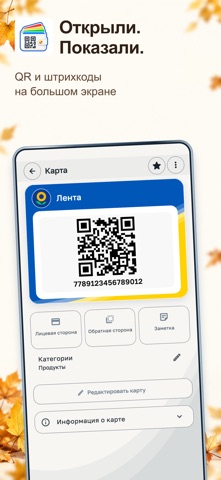
Keep loyalty cards, discount cards, barcodes and QR codes in one wallet. Add a card, find it at checkout and display its code instead of searching through plastic cards or screenshots. TWO WAYS TO BROWSE Switch between a large card with a carousel and a vertical list. Sort cards alphabetically with letter headings and move the add button to a convenient position. YOUR CARDS, YOUR COLLECTION Choose from a catalog of more than 150 retail chains or create your own card. Store membership and discount cards with compatible QR codes and barcodes. No registration is required. ADD A CARD YOUR WAY Scan a code with the camera, recognise it in a photograph or screenshot, or enter the number manually. Check the result before saving. Recognition depends on the image quality and code format. DISPLAY AND SHARE Open a card to show a large barcode or QR code at checkout. Copy the code or share the card image using the system share sheet. SEARCH, CATEGORIES AND FAVOURITES Search by name or number, filter by category and mark frequently used cards as favourites. A card can belong to several categories. The My tab shows all personal cards by default; choose which categories it includes in settings. PHOTOS AND NOTES Add front and back photographs, keep a note, edit the name, number and categories, or delete a personal card you no longer need. EXPLORE WITH DEMO CARDS Catalog examples help you learn the interface. Hide an unwanted demo card with Delete Card; automatic updates will not bring it back. You can restore hidden demo cards manually in settings. Demo cards do not establish membership in a loyalty program. BACK UP WITHOUT AN ACCOUNT Personal cards are stored on the device. Export them to a file and import that file to restore or transfer the collection. Card photographs are not included in the backup. Automatic cloud synchronisation is not required. MAKE THE COLLECTION EASIER TO READ Use large bold card names instead of logos, switch between light and dark themes and recognise stores by their names and brand colours. 24 HOURS WITHOUT ADS An optional completed rewarded video disables banners, app-open ads and interstitial ads for 24 hours. Each further completed video adds another day. Video availability depends on the advertising network and internet connection. The ad-free period is retained on this device. The app stores and displays your cards and codes. It does not award points, check balances or represent the featured retailers. Each issuer determines whether a digital card copy is accepted. Internet is needed for catalog updates and ads; saved cards remain available offline. Website: https://poleznoapp.com/ Email: vicvoc2@gmail.com
Screenshots