ControlForge
Carlos Armstrong

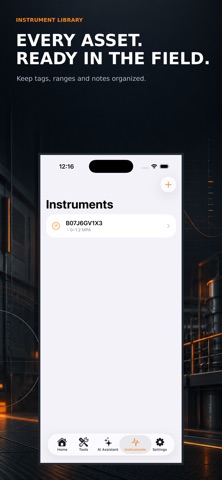
ControlForge is a professional field toolkit created for automation technicians, controls engineers, instrumentation specialists, and commissioning teams. Perform essential calculations, organize instrument information, complete loop checks, and troubleshoot industrial automation systems directly from your iPhone. FIELD CALCULATORS • Convert 4–20 mA signals to engineering units • Calculate PLC raw counts and scaled values • Estimate flow from differential pressure • Calculate hydrostatic liquid level • Convert VFD frequency to motor speed • Convert decimal, hexadecimal, and binary values • Detect signals outside the normal NAMUR NE43 range INSTRUMENT MANAGEMENT Create and save instruments with their tag, service, type, engineering range, unit, and technical notes. Select a saved instrument to automatically provide its configuration to the troubleshooting assistant. LOOP CHECKS Perform configurable five-point loop checks at 0%, 25%, 50%, 75%, and 100%. Compare expected and measured current values and immediately identify passing or failing test points. AI TROUBLESHOOTING ASSISTANT Ask questions about: • PLCs and industrial control systems • SCADA and HMI applications • 4–20 mA and voltage signals • Industrial communication networks • VFDs, motors, pumps, and valves • Instrumentation and commissioning • Common automation faults ControlForge uses Apple’s on-device foundation model. Supported requests are processed privately on your device without requiring an external AI account or API API key. The assistant can answer general industrial-automation questions without selecting an instrument. When a saved instrument is selected, its range, signal, service, and notes provide additional context for troubleshooting. BUILT FOR THE FIELD ControlForge combines frequently used engineering tools in one focused application, reducing the need to switch between spreadsheets, calculators, manuals, and notes while working in the field. Important: ControlForge provides engineering reference information and troubleshooting guidance. Always verify equipment specifications using the manufacturer’s official documentation and follow your facility’s safety, electrical, and lockout/tagout procedures.
Screenshots