WavVv Music Player
Pawel Karpinski

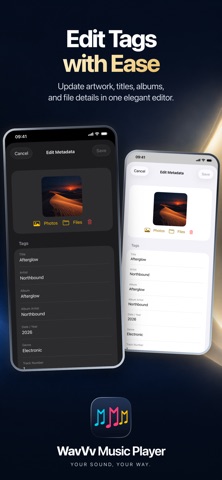
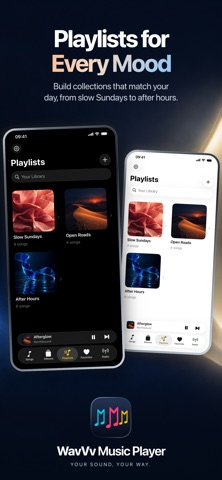
Your music collection deserves more than a folder. Wavvv brings your own audio files, playlists, and internet radio together in a player built for listening. Add your music from Files and make it feel like your library again. No account required. YOUR FILES, BEAUTIFULLY ORGANIZED Choose individual songs or scan an entire folder, including its subfolders. Browse Songs, Albums, Playlists, and Favorites. Search by title, artist, album, or filename. Album results show cover art and open the full track list. Your files stay in their original location. A CLEARER PICTURE OF YOUR SOUND Play FLAC, MP3, M4A, AAC, WAV, and AIFF. See the file's format, sample rate, and channel information in Now Playing, with bitrate or bit depth where available. Album artwork sets the mood with a subtle matching background. PLAYLISTS WITH PERSONALITY Build a mix for a late drive, a quiet morning, or your next favorite obsession. Add your own cover image, arrange the songs, and keep the music you love close. YOUR STATIONS, ONE PLACE Save internet radio streams with a name and custom artwork. Wavvv supports HLS, direct MP3 and AAC streams, and M3U or PLS station links. Your saved stations are always easy to find. MAKE THE DETAILS RIGHT Edit titles, artists, albums, artwork, and more. When the original file is writable and its format supports editing, Wavvv saves your changes back to that file without re-encoding its audio. LISTEN YOUR WAY Keep listening in the background, use lock-screen playback controls, or send audio through AirPlay. Follow embedded or local lyrics, including synchronized lyrics when available. Music stored on your device is ready for offline listening. Bring the music. Make it yours. Wavvv is a player for your own music files and station URLs. Music and radio subscriptions are not included. Internet radio and online lookups require a connection.
Screenshots