UnSnooz: Loud Alarm Clock
Arkangl, Inc.

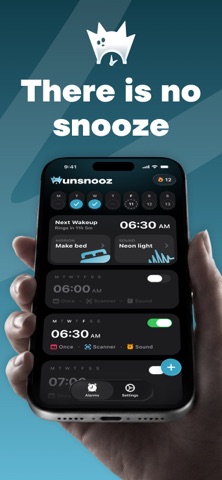
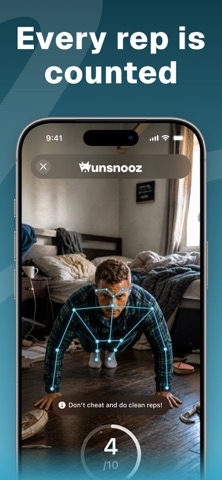
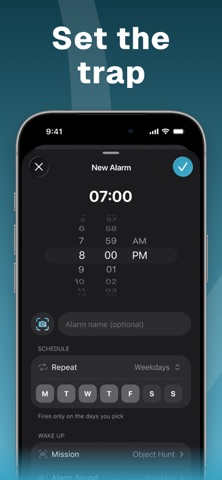
Wake up. Show up. UnSnooz is an iPhone alarm clock that gives you a small mission to complete when it is time to get up. Choose a challenge for your brain, body, or camera and turn the first moment of your morning into a small win. CHOOSE YOUR WAKE-UP MISSION Solve math problems, shake your phone, say an affirmation, do push-ups or squats, or use your camera to find an object, make your bed, photograph the sky, or find your pet. Preview missions and choose the challenge that fits your morning. BUILD YOUR MORNING ROUTINE Set your wake-up time, choose repeat days and an alarm sound, and adjust your mission. Keep different alarms for different routines, follow your morning completion history, and set a bedtime reminder. CAMERA MISSIONS THAT GET YOU MOVING Photo missions give you something to find or do away from your pillow. Exercise missions use the camera to count your repetitions. On-device recognition supports offline checks; optional online photo recognition is available when you are signed in and connected. MAKE IT YOURS Choose your language, customize your alarm settings, and sign in with Apple or Google to sync your alarm and profile information. Sign-in can be skipped for local use. SUBSCRIPTION INFORMATION An UnSnooz Pro subscription is required for access to the app's alarm and mission features. Available plans, local prices, and any free-trial eligibility are shown before you purchase. Payment is charged to your Apple Account at confirmation. Subscriptions renew automatically unless canceled at least 24 hours before the current period ends. Manage or cancel your subscription in your Apple Account settings. UnSnooz requires iOS 17 or later. iOS 26+ uses AlarmKit; older iOS uses alarm notifications, which can be silenced by Silent mode or Focus. Open UnSnooz to continue ringing and complete missions. Camera, microphone, speech recognition, motion, alarm and notification permissions are requested for the features that need them. Privacy Policy: https://unsnooz.com/privacy/ Terms of Use: https://unsnooz.com/terms/ Support: support@unsnooz.com
Screenshots