Tape Calculator with Notes
Christopher Flores Rimac

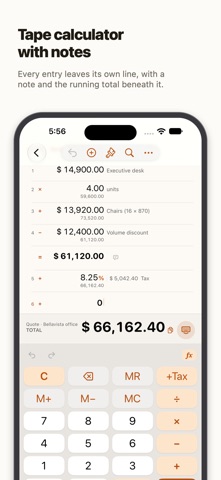
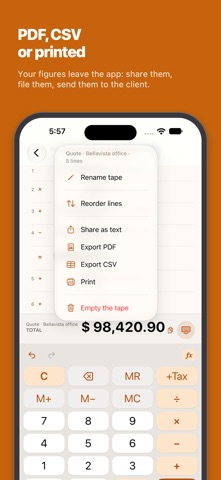
A calculator that doesn't erase what came before. Every entry leaves its own line, with a note beside it, and you can fix any number from half an hour ago: the whole tape recalculates itself. It's the paper adding machine's model, not the pocket calculator's. Lines apply in order, top to bottom: 2 + 3 × 4 is 20. THE TAPE • A note on every line, and text notes that separate blocks without entering the calculation. • Subtotals with "=", named results you can reuse further down, and lines you can leave out of the calculation without deleting them. • Percentages with calculator semantics: "+ 18 %" adds 18 % of the running total and shows the resolved amount beside it. • Exact decimal arithmetic throughout: 0.1 + 0.2 is exactly 0.3. INPUT • Two typing orders: sign first, like a calculator, or sign last, like an adding machine. • Its own keypad with memory (M+ M− MC MR), a configurable tax key that starts at your country's VAT rate and a scientific panel of eleven functions. • Paste a list from Excel or Numbers: it understands 1,234.56 and 1.234,56, the trailing sign and tab-separated columns. • Hardware keyboard on iPad, with ⌘Z, ⌘F, ⌘C and ⌘V. OUTPUT • Copy the total with one tap, or any figure from the line's menu. • Export to PDF, CSV and plain text. Print via AirPrint. THE REST • Several tapes, with search across them and inside one. • Sync through your own iCloud and a 30-day trash. • A widget with the total, six languages, VoiceOver and its own text size. NO SUBSCRIPTION No subscription, no account, no sign-up. The app never goes online — not even for the exchange rate, which you set yourself. Your tapes live on your iPhone and in your iCloud, and on no server.
Screenshots