HWP Viewer - Hangul Editor
SUPERNOVA MEDIA JOINT STOCK COMPANY

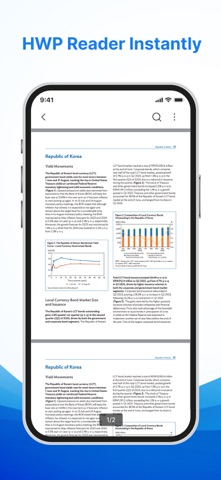
Handle HWP documents with ease with HWP Viewer - Hangul Editor. This app lets you conveniently read and manage documents while providing conversion tools for supported file formats in one app. It is designed to help you save time and work more efficiently every day. KEY FEATURES: - Open and read HWP files - Edit HWP documents - Convert PDF to HWP - Convert DOC to HWP - Share HWP files - Manage your documents HWP READER • Open and read HWP and HWPX files • Enjoy smooth page transitions while reading • View document content clearly HWP EDITOR • Edit HWP documents on your device • Highlight, underline, or strikethrough • Mark important content for quick review CONVERT PDF/DOC TO HWP • Turn PDF files into HWP • Transform DOC files into HWP • Perform conversions quickly • Keep converted documents organized PRINT DOCUMENTS • Connect to compatible printers • Print files directly from your phone • Print documents and reports whenever needed SMART FILE MANAGEMENT • Find documents with a simple search • Mark important files • Easily rename documents • Share files with just a few taps Download HWP Viewer - Hangul Editor today to make document handling more convenient, wherever you are. Keep your important files organized and easy to access. Thank you for choosing HWP Viewer - Hangul Editor. We hope this app helps you handle documents quickly and efficiently in your studies and daily work. Policy: https://sites.google.com/view/hwpviewer-hangulreader-privacy TnC: https://sites.google.com/view/hwpviewer-hangulreader-terms
Screenshots