ChessNotate
Ronald Suwandi

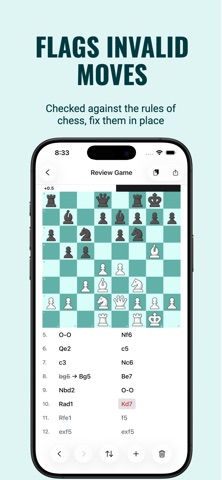
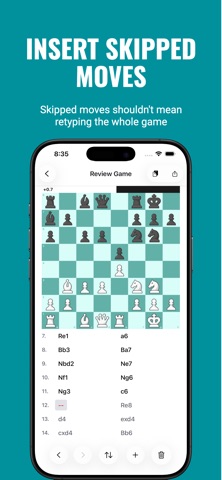
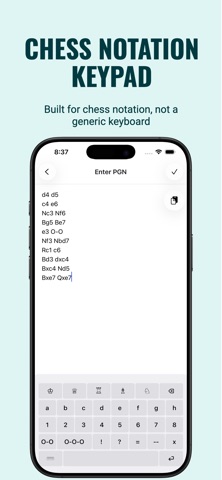
ChessNotate helps you type up a handwritten chess scoresheet into a clean, validated PGN. No OCR or scanning: you enter the moves and the app validates every one Move entry uses a dedicated notation keypad (piece, file, rank, and check/mate symbols in one tap) instead of a standard keyboard, the same idea as a dedicated PGN scoresheet keyboard Most tools handle scoresheet errors badly: • Some stop validating at the first mistake and ignore the rest of the game. • Some refuse to load the PGN at all if anything in it is invalid. • Correcting a move gets treated as branching into a new variation instead of replacing the mistake, which is painful to untangle on a phone. ChessNotate is built around a legal-move engine that keeps validating past errors, and lets you fix a wrong move in place, not spin off a new line How it works: 1. Type in your game from the scoresheet using the notation keypad (or paste an existing PGN) 2. ChessNotate checks every move against the rules of chess 3. Flagged moves are shown on an interactive board so you can correct them directly 4. Export a clean PGN with the moves and basic move annotations (!, !?, ?, ??, !!, ?!) preserved What ChessNotate is NOT: • Not a way to play chess. There's no AI/computer opponent • Not a full PGN database manager. No library, tagging, or search across multiple games • Not a deep analysis tool. The eval bar is an at-a-glance check, not a best-move search • Comments, clock times, variations, and other PGN metadata are not preserved on export, only moves and basic annotations are
Screenshots