Orate: Video Teleprompter
Gajendra Singh Rathore

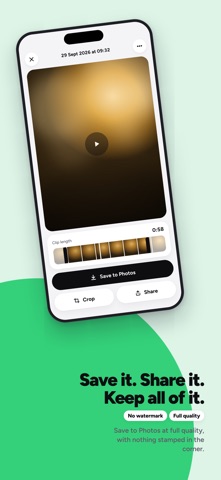
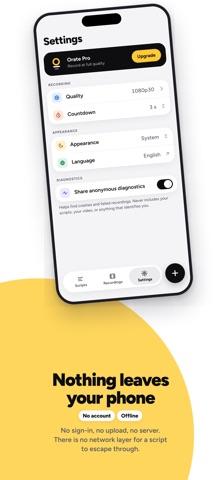
Look at the lens, not the script. Orate is a video teleprompter that holds your script in a narrow band directly beneath the front camera, so your eyes stay where the lens is. Most teleprompter apps spread your script across the whole screen. Your eyes travel to read it, and everybody watching can see them move — it is the tell that separates talking to someone from visibly reading at them. Orate keeps the words under the lens instead. Turn the device and the lens changes edge, so the band follows it. The band is 45% of the screen by default, and anywhere from 15% to 100% if you want it another way. WHAT PEOPLE FILM WITH IT Reels and short social video. YouTube videos, product walkthroughs and demos. Lessons, client updates, investor updates, announcements and voiceovers — anything where you are talking to a camera and would rather not memorise it. Some people call this an autocue, or cue cards on a screen. Same job, and this is a teleprompter app built for doing it on a phone. A CRASH COSTS YOU SECONDS, NOT THE TAKE The file on disk is playable the whole time you are recording. A call, a flat battery, the system reclaiming memory — being killed mid-take costs you at most the last couple of seconds, instead of a file that will not open. Measured on a handset: a take killed at 3:58 recovered 3:56. IT KNOWS HOW YOUR LANGUAGE READS Read time comes from the writing system, not an English word count. The same three hundred words are two minutes of English, 2:18 of Hindi and 2:37 of Tamil — and Orate tells you which before you start. Chinese, Japanese and Thai are counted in characters instead. A PROMPTER YOU CAN ACTUALLY SET UP Scroll speed, mirror mode, font size, reading window height, text and background colour. A countdown before the take starts, so the first seconds are not you reaching for a button. Read without recording when you only want to rehearse, or record the voice alone with the camera off. NOTHING LEAVES YOUR DEVICE No account, no sign-in, no upload. Your scripts and your recordings stay on the device, and the whole app works with the network switched off. There is no server to send anything to — that is the architecture, not a policy that could quietly change. Anonymous diagnostics can be turned off in Settings at any time, and in the UK and Europe nothing is collected until you turn them on. THREE SCREENS, AND THAT IS THE WHOLE APP A library, a recorder, and a short settings screen. Write or paste a script, pick it, record. Trim the result and crop it to the shape the platform wants, then save it to Photos or share it. WHAT IS FREE • The whole teleprompter — speed, mirror mode, reading window, font size, colours • Crash-safe recording at 1080p • Prompter-only and audio-only modes • Export, share, and save to Photos • Three saved scripts • No watermark, on any tier WHAT PRO ADDS • Recording up to 4K • HDR • 60fps • Unlimited saved scripts Reliability is never behind the paywall. "The teleprompter that doesn't lose your take" cannot be a paid add-on, and export is not either — there is no fee to get your own video out, and nothing is stamped in the corner. FIFTEEN LANGUAGES, TRANSLATED IN FULL English, हिन्दी, বাংলা, मराठी, தமிழ், తెలుగు, Español, Português (Brasil), Bahasa Indonesia, ไทย, العربية, עברית, Čeština, Dansk and Deutsch — including right-to-left layout, which is a separate thing from the prompter's mirror mode. Terms of Use: https://orateapp.co/terms Privacy Policy: https://orateapp.co/privacy
Screenshots