AudioCast: Wireless PC Audio
Seongsik Kim

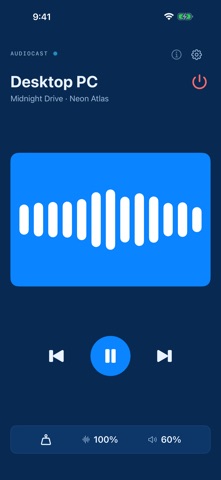
Turn your iPhone or iPad into a wireless speaker for your computer. AudioCast streams the audio from your Windows PC, Mac, or Linux machine straight to your phone over Wi-Fi. Put your phone in your pocket and keep listening, or hand it to someone else so they can hear what you hear — without a cable, and without a Bluetooth pairing dance. REQUIRES THE FREE DESKTOP APP AudioCast has two halves. This app receives; the free desktop app sends. Get it at audiocast.sskplay.com/download and install it on the computer you want to listen to. Both need to be on the same Wi-Fi network. HOW IT WORKS • Install the free desktop app on your computer • Open this app — it appears on the computer automatically • Press play. That's it. WHAT YOU GET • Low-latency streaming over your own Wi-Fi — nothing leaves your network • Three latency modes: Game, Normal, and Music, so you can trade delay for stability depending on what you are doing • Keeps playing with the screen locked and the app in the background • Volume trim on the phone, independent of the computer • Pair instantly by scanning the QR code the desktop app shows AUDIOCAST PRO The app is free and ad-supported. Pro removes ads and unlocks the Game and Normal latency modes, background playback, and pausing the computer's media when you disconnect. Buy it once and keep it forever, or subscribe by the month or the year. Subscriptions renew automatically unless cancelled at least 24 hours before the end of the period, and can be managed in your Apple Account settings. Privacy Policy: https://apps.sskplay.com/privacy Terms of Use: https://www.apple.com/legal/internet-services/itunes/dev/stdeula/ PRIVACY Audio is streamed directly from your computer to your device over your own network. It is never uploaded to a server, and we never receive it.
Screenshots