Photo Editor -Retouch & Remove
MFA Labs

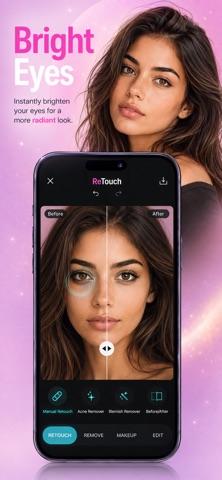
Retouch your photos naturally — without looking filtered. Retouch is designed to help you enhance your photos while keeping your real features, skin texture and identity intact. Make subtle, realistic improvements in just a few taps. PERFECT YOUR PORTRAITS • Smooth and refine skin naturally • Reduce blemishes and small imperfections • Brighten and enhance eyes • Whiten teeth for a cleaner smile • Refine hair details • Remove or clean up distracting backgrounds • Create polished, natural-looking portraits NO HEAVY FILTERS Retouch focuses on realistic photo enhancement instead of artificial beauty filters. Your photo stays recognizable, natural and true to you. SIMPLE. FAST. BEAUTIFUL. Choose a photo, select what you want to improve and let Retouch handle the rest. No complicated editing tools or professional experience required. MADE FOR EVERYDAY PHOTOS Perfect for: • Selfies • Portraits • Profile photos • Social media • Dating profiles • Professional headshots • Travel and lifestyle photos YOUR PHOTO, JUST REFINED. Retouch helps you look your best while keeping the details that make you you. SUBSCRIPTION INFORMATION Payment will be charged to your Apple ID account upon confirmation of purchase. Subscriptions automatically renew unless canceled at least 24 hours before the end of the current billing period. You can manage or cancel your subscription through your App Store account settings. Privacy Policy: https://www.mfalabsai.com/apps/photo-editor/privacy-policy Terms of Use (EULA): https://www.apple.com/legal/internet-services/itunes/dev/stdeula/ https://www.mfalabsai.com/apps/photo-editor/terms-of-use
Screenshots