Clearway: Drive Tracker
Yusuf islam Tufekci

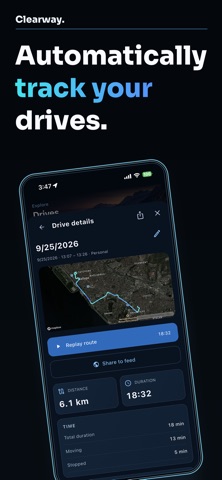
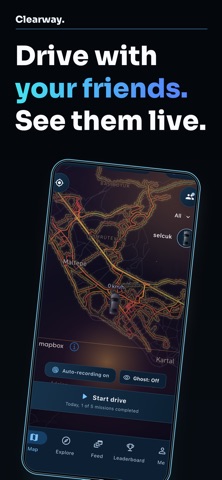
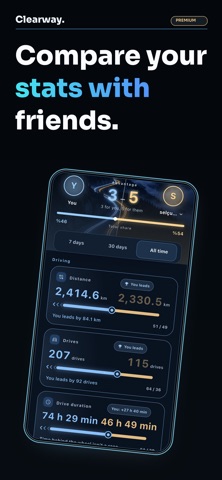
Record your drives and build a personal map of the roads you've travelled. Review your routes, distance and driving history in one place. Enable automatic drive recording and grant the required location and motion permissions to record your drives automatically. You can also start a recording manually. Browse the global drive feed and leaderboard with a device account. Link an Apple or Google account to use friend features, publish drives, like or comment in the Feed, and sync your account. Highlights: • Record drives automatically or manually, including in the background • Reveal explored roads and areas on your personal map • Review drive history, distance, time, and exploration progress • Build personal street and weekly reports • Browse the global leaderboard and chronological global drive feed • Add friends, compare statistics, view friend rankings and manage groups for free • Explicitly publish one drive's complete route, distance, duration, and average speed after linking Apple or Google • Like posts and join plain-text discussions after linking Apple or Google Clearway Premium Live drive sharing and live map viewing are optional Premium features. Both the sharing and viewing accounts need a Premium subscription. Premium also unlocks additional reports and appearance options. Clearway is not turn-by-turn navigation, an emergency service, or a driving safety tool. It does not reward speed. Set up the app before driving and do not interact with it while driving. Some street-level Premium reports require separate consent to upload a raw GPS route. Uploaded raw routes are deleted after successful processing and always within seven days. See the Privacy Policy for details. Terms of Use (EULA): https://www.apple.com/legal/internet-services/itunes/dev/stdeula/ Privacy Policy: https://clearway.4dalyo.com/privacy
Screenshots