ClearExit Home Escape
Jonathan Pierce

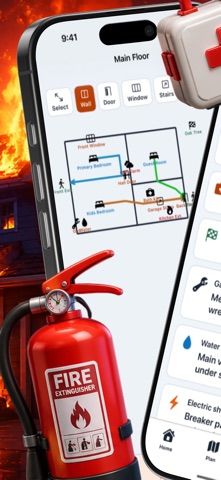
ClearExit Home Escape turns vague safety talk into a concrete, rehearsed plan for your whole household. Everything works offline, with no account, no ads, and no in-app purchases. Start by sketching your home on the floor plan canvas. Drag to close wall segments, tap to add doors, windows, and stairs, and pinch to zoom. Then use the route painter to draw bright, color-coded arrows from every bedroom to the nearest exit. A night-mode view shows low-light contrast so routes stay visible in the dark. Add each family member with age, mobility, and buddy pairings so every child is connected to a responsible adult. Place fire extinguishers, smoke alarms, gas valves, water shutoffs, and first-aid kits directly on the map with the safety equipment layer. When you’re ready, launch the drill engine. It picks a random room as the fire origin, sounds a siren, and starts a 60-second countdown. After the drill, confirm your meeting point and review the result. Keep important numbers on the emergency board and manage a go-bag checklist with expiration reminders. Finally, export a one-page PDF emergency plan with your floor map, routes, contacts, and a meeting-point QR code to post on the fridge. ClearExit Home Escape is the difference between “we talked about it” and “we rehearsed it.”
Screenshots