Shortcut Canvas
Pawel Karpinski

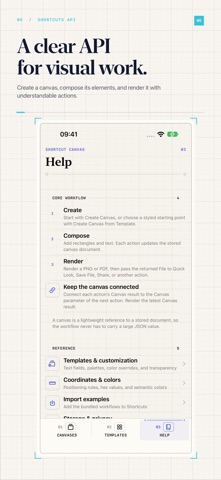
Create images with Apple Shortcuts. Shortcut Canvas turns a sequence of actions into a persistent canvas, a real preview, and a finished PNG or PDF. Start with one of 22 customizable templates: birthday cards, event cards, certificates, quotes, announcements, badges, thank-you cards, tickets, business cards, sales, recipes, agendas, countdowns, and social formats. Change the copy, palette, and background in Shortcuts. Build your own design with rectangles, ellipses, lines, text, images, SF Symbols, progress bars, and QR codes. Position elements with nine anchors, style them with colors and shadows, and fit text into a box. Import a photo or pass an image file directly from another action. Render PNG or single-page vector PDF with scale and file-name controls. Batch-render saved canvases into a ZIP file. Share a portable canvas document with its images, then import it on another device. The companion app lists your canvases with actual rendered previews, lets you inspect and export a document, and includes a template gallery and action reference. Import 27 editable example shortcuts, including four workflows composed from individual drawing actions. The interface, templates, and Shortcuts actions support English, German, Polish, Hindi, Simplified Chinese, Spanish, French, and Japanese. Your custom text stays exactly as you entered it. No accounts, analytics, or in-app networking. Documents and images stay on your device until you share them or pass an exported file to another action.
Screenshots