Defense Pro - Shieldara
KRYVOS GLOBAL SP Z O O

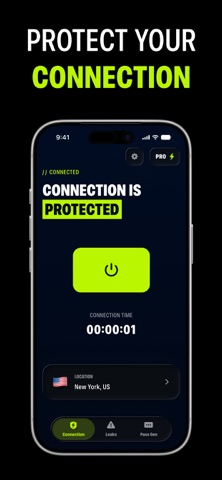
Shieldara - Everyday Privacy and Account Tools Shieldara provides a focused set of tools for managing your internet connection, checking account exposure, and creating safer passwords. Its straightforward interface keeps these functions organized in one place for convenient everyday use. What You Can Do with Shieldara * Protect Your Connection: Direct your internet traffic through an encrypted route when using private or shared networks, helping reduce unwanted access while data is transmitted. * Check for Credential Exposure: Compare account details with information found in known public breach records and receive a notification when a possible match is identified. * Create Unique Passwords: Generate and save strong passwords based on the requirements of different websites, making it easier to avoid reusing the same credentials across accounts. By combining encrypted connectivity, exposure checks, and password creation, Shieldara offers a simpler way to manage essential privacy tasks. The app does not store browsing history or collect personal profile information. Subscription Information Shieldara Premium unlocks additional functionality, including broader secure connection access and unlimited password generation. Subscriptions renew automatically unless auto-renewal is disabled at least 24 hours before the end of the current billing period. Payment will be charged to your iTunes Account after the purchase is confirmed. Renewal charges will be processed within 24 hours before the current subscription period ends. You can manage your subscription or disable auto-renewal at any time through your Account Settings. Privacy Policy: https://shieldara.app/policy.html Terms of Service: https://shieldara.app/terms.html Support: support@shieldara.app
Screenshots