Chroma Key - Green Screen PNG
CAEN Co., Ltd.

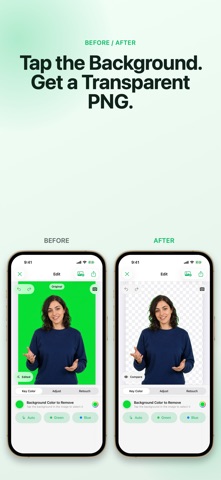
Remove a green, blue, or other solid-color background from a photo and export a PNG with real transparency. Tap the key color, refine the edge, and save at the source image's pixel dimensions. No ads, watermark, subscription, account, or server upload. Key features • Automatic key-color estimate, eyedropper, and green or blue presets • Tolerance, edge softness, and color-spill adjustment • Erase and restore brushes with up to 60 undo or redo steps • Checkerboard, white, and black transparency previews • Import from Photos, Files, or iCloud Drive • Save to Photos, share a PNG file, or copy the PNG How it works 1. Choose a photo or image file 2. Tap the background color and adjust the result 3. Export a PNG with an alpha channel Built for green screen photos, product shots, illustrations, and other images with a solid-color background. This is a chroma key tool: it removes pixels based on a color you choose rather than using AI subject detection. One purchase unlocks every feature. There are no subscriptions, in-app purchases, ads, watermarks, or usage limits. For help or feedback, visit https://apps.caen.co.jp/chromacut/support/.
Screenshots