BackyardPace: Backyard Ultra
Timothy James Dove

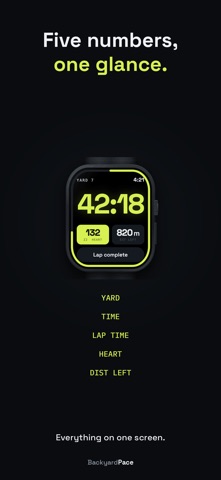
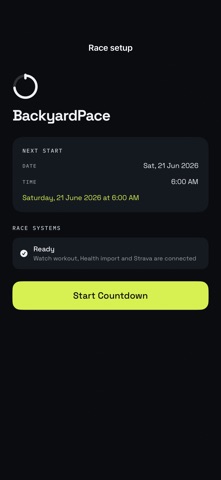
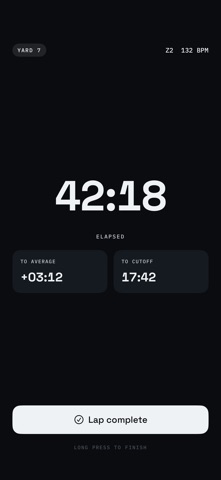
Keep the watch you already race in. BackyardPace runs from your iPhone at base while your Garmin, COROS or any other watch records the run. Or race it from your Apple Watch. Either way it handles the yard timer, the recovery countdown and the next start, so you can stop doing arithmetic at 3am and think about one thing: the next yard. THE FORMAT Finish the loop before the bell, recover, then go again. The last runner standing wins. Everyone else records a DNF, no matter how far they got. Recovery matters more with every hour that passes, and that is the part BackyardPace takes off your hands. RACE FROM IPHONE No Apple Watch needed. Yard timing, recovery countdowns, lap logging and the go-again decision all run from the phone, so you keep using the watch you already trust to record the run itself. The phone sits at base and runs the race, with the corral clock on your lock screen. BackyardPace does not connect to or control your Garmin or COROS. The two run alongside each other. Your watch records the run. BackyardPace runs the race. RACE FROM APPLE WATCH Set your start time before the gun and the watch becomes your race computer. Yard time, recovery countdown, heart rate and distance remaining, all on your wrist. The phone can stay charging in the tent. Every yard, split, GPS route and heart rate is written to Apple Health. AHEAD OR BEHIND, AT A GLANCE A band runs around the edge of the race screen showing how far round the loop you are, with a red mark where the clock is. Ahead of the mark you are banking rest. Behind it you are spending it. No numbers, no arithmetic. REST YOU ARE EARNING While you are running, BackyardPace shows the rest your current pace is buying you. Push and the number grows. Ease off and you watch it shrink. It is the one number that changes how you run the second half of a yard. DISTANCE THAT COUNTS DOWN Most apps show how far you have run. Late in a backyard you want to know how far until you can stop, so BackyardPace counts the distance down instead. RECOVERY THAT KEEPS YOU HONEST The recovery screen counts down to the next yard and changes colour as time runs short. Green while you have room, orange as the start approaches, red when you need to move. Readable from across a tent at 3am, with the yard you just ran underneath: time and pace, so you know what the next one has to look like. MADE FOR WET HANDS AT 3AM Rain and sleeves press things. On Apple Watch, a wet screen can't end your race: ending can be undone, and the workout keeps recording until you hold Save. A mistaken lap can be undone too. IT TELLS YOU OUT LOUD The watch buzzes and says the time at three minutes, two and one, then again the moment the next yard starts. During the yard it calls your distance and the rest you are earning. Head down, eyes shut, and you still get off the line on time. YOUR RACES, ADDED UP Every race is saved with its laps, route and heart rate. A lifetime view keeps your best yard count, total yards, total distance, time running and your average pace and heart rate across everything you have ever run. A yard that runs out is logged automatically, and lap times can be edited afterwards, so one mis-tap does not spoil the record. YOUR RACE ON STRAVA Connect Strava once and upload from the race summary, with every yard as its own lap. Or export a standard TCX file and upload it yourself. BUILT BY A BACKYARD ULTRA RUNNER Tim Dove built BackyardPace after three years of racing this format, most recently 20 yards at Riverhead, New Zealand. Every feature exists because of a question asked during an actual race. WHAT IT DOES NOT DO It does not tell you how to pace yourself. That is your job. It does not replace race officials or official timing. It needs no mobile signal and no internet during a race. In iPhone mode it does not record GPS route or heart rate, because your watch is already doing that. One purchase. No subscription. No account. Nothing locked on race day.
Screenshots