Clap Find My Phone – Finder
Khanh Thong Le

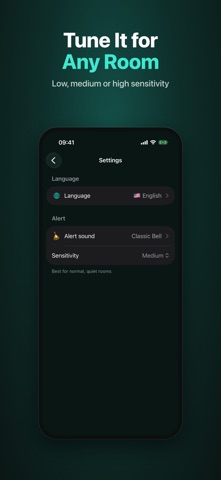
Clap Find My Phone helps you locate your misplaced iPhone in seconds — just clap your hands or whistle, and your phone answers with a loud ringtone, a blinking flashlight, and vibration. HOW IT WORKS 1. Open the app and choose Clap to Find or Whistle to Find 2. Keep the listening screen on and set your phone down 3. Forgot where it is? Clap or whistle — your phone rings instantly FEATURES • Clap detection — clap your hands to make your phone ring • Whistle detection — whistle steadily to trigger the alarm • 7 loud ringtones: Classic Bell, Radar, Tri-Tone, Siren, Alarm Clock, Emergency, Loud Beep • Flashlight alert — the torch blinks so you can spot your phone in the dark • Vibration alert • Adjustable sound sensitivity (Low / Medium / High) • Clean, simple dark interface Perfect for anyone who often misplaces their phone at home, at the office, or under the couch cushions. No account, no setup — open the app and never lose your phone again. Your privacy matters: all sound detection happens on your device. No audio is ever recorded, stored, or uploaded.
Screenshots