NAGORI PS1 Emulator & GBA
Denys Kotelnykov

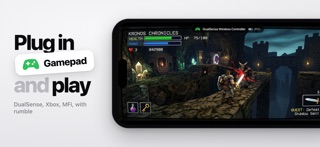
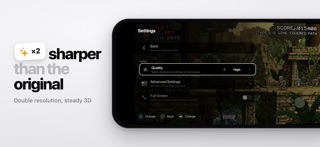
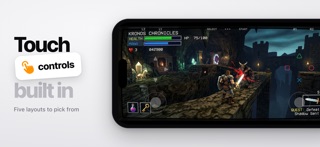
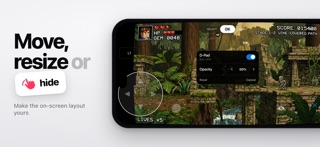
I built this to feel like a console, not like a tool. You pick a game and you play. That's the whole idea. PS1 on your phone. The library is the part I spent the most time on. Covers load on their own, and the thumbnails are frames from your own save states — so scrolling through it is scrolling through your own play, not through a folder of file names. Resume works the way it should. Close the app whenever you want — quitting all the way out saves the game on its own, no prompt, nothing to confirm. Next launch puts you back on the exact frame you left. The Home Screen widget skips even that: it holds the frame you stopped on, and one tap drops you back into the game. Manual save slots are there too, with screenshots, and you can back your saves up and restore them later — clearing space on your phone shouldn't cost you a file you've been carrying for years. Plug in a controller and the app moves with you. Menus, focus, navigation — all of it goes to the gamepad. Unplug it mid-game and the game pauses on its own. Rumble comes through the phone's haptics. No controller is fine too. The on-screen one learns: it watches where your thumbs actually land and shifts the touch areas to match, so you stop missing buttons. Floating sticks, a few layouts for different kinds of games, and an editor to build your own — every button ends up where your hand looks for it. Graphics are already turned up when you install it — double resolution, smoothing on. I didn't want a settings screen standing between you and the game. It runs edge to edge, using the whole display. And if you miss the picture these games were drawn for, the pause menu has a CRT screen: scanlines, curve and glow. Precise Geometry sits right next to it — 3D polygons stop wobbling. Small things I care about: the interface sounds, the menu button changes color as your battery drops... PS1 is where this started, and Game Boy Advance plays here too: .gba files land in the same library, right next to the discs. GameCube came last and it's the newest part of the app: .rvz, .gcm and GameCube .iso discs land in that same library. The screen effects don't reach it yet — that core draws its own picture. Bring your own games — .chd, .cue/.bin, .iso, .pbp, .gba, .rvz, .gcm, or a whole .zip, .7z or .rar archive, straight from Files or the share sheet. • Console-style library with real box art • Game Boy Advance games too, in the same library • GameCube discs too: .rvz, .gcm, .iso • Instant resume/auto save on quit + memory card saves • Home Screen widget — one tap back into the game • CRT screen: scanlines, curve, glow. Precise Geometry for steady 3D • DualShock, DualSense, Xbox, usb/lightning controllers • On-screen gamepad with a layout editor • Enhanced ×2 resolution, fast-forward • Multi-disc games, .chd/.cue/.pbp/.iso/.gba/.rvz support + zip/7z/rar No games included. Import your own legally created disc images. Not affiliated with Sony or Nintendo. PlayStation is a trademark of Sony Interactive Entertainment. Game Boy Advance is a trademark of Nintendo. GameCube is a trademark of Nintendo. terms: https://www.apple.com/legal/internet-services/itunes/dev/stdeula/ privacy: https://nagori.games/privacy www.denkot@gmail.com
Screenshots