Daak 2 - Money Tracker
Lovely Duck, LLC

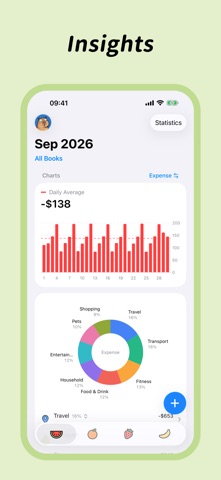
Simple, cute, and easy to use. From everyday income and expenses to assets, budgets, and investments. All the numbers that matter, clearly organized in one place. ▣ Packed with Features - Support for iPhone, iPad, and Apple Watch - A variety of widgets, Watch complications, and Smart Stack widgets - Custom categories and subcategories - Multiple ledgers and collaborative expense tracking - Multiple currencies and exchange rate conversion - Voice entry and Shortcuts - Split payments - Transaction templates - Automatic recurring transactions - Transaction photos, locations, tags, and notes - Transaction search, filters, and batch editing - Income and expense calendar - Pie charts, line charts, and bar charts - Weekly, monthly, yearly, category, and custom budgets - Account groups and credit account management - Debt tracking: money borrowed and lent - Refund and reimbursement management - Installment repayments - Fixed-term deposit management - Investment holdings and return tracking - Piggy banks and savings goal progress - Shopping wish list - Card management - Transaction map - Custom start days for weeks and months - iCloud backups and automatic syncing across devices - Passcode protection and background privacy blur - Transaction data import and export ▣ Simple and Cute - 300+ cute hand-drawn category icons - A choice of Home Screen app icons - Multiple sets of tab bar icons - Holiday-themed icons and a variety of color themes - Light and dark modes - Custom background images - Custom transaction keypad and toolbar ▣ Membership and Subscriptions Daak 2 offers free features and optional membership. Membership unlocks member-only features. See the app for available benefits and pricing. - Annual membership is an auto-renewable subscription with a one-year billing period. - Payment will be charged to your Apple Account upon confirmation of purchase. - Your subscription renews automatically unless auto-renewal is turned off at least 24 hours before the end of the current subscription period. - Your Apple Account will be charged for renewal within 24 hours before the end of the current period at the applicable renewal price. - You can manage or cancel your subscription in Settings > Apple Account > Subscriptions. After cancellation, paid benefits remain available until the end of the current subscription period. - If a free trial is offered, eligibility, duration, and subsequent charges are shown on the purchase screen. Cancel at least 24 hours before the trial ends if you do not wish to continue subscribing. - Lifetime membership is a one-time purchase and does not renew automatically. If you already have an annual subscription, you must cancel it separately after purchasing lifetime membership. Terms of Use: https://daak2.com/terms-of-use.html Privacy Policy: https://daak2.com/privacy-policy.html ▣ Contact Us Email: daak.user@outlook.com
Screenshots