Feed Me RSS
Kendal Slack

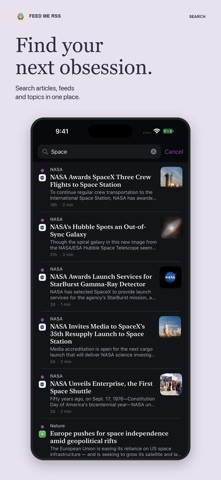
Your feeds. Your pace. Read, listen and catch up with Feed Me RSS. Follow the RSS and Atom feeds you choose, organise them into folders, and keep your reading state in sync across iPhone, iPad and Mac with iCloud. No AI account or paid AI subscription is required. TURN YOUR READING PILE INTO A LISTENING QUEUE Listen to concise AI summaries or choose full articles. On-device neural voices bring stories to life, while the mini player keeps play, pause and previous/next controls close as you browse. Save interesting stories without interrupting your queue. Listened and read are separate, so you decide when to clear the unread pile. Ask Siri to “save for later in Feed Me RSS” to add the playing story to Read Later, or favourite it for Saved/Starred. An article can be in both lists. A BRIEF THAT FINDS THE HIGHLIGHTS Today’s Brief draws together highlights from today’s unread stories, with links to the articles behind them. Your reading interests help shape the selection. Mark the covered stories as read when you’re ready, with Undo available. Hide the brief in Settings if you prefer to browse without it. PRIVATE APPLE INTELLIGENCE Summarise an article, ask it questions, reframe the explanation, pull out key sentences, translate, or explore why it matters. Compatible devices do the AI work locally. Choose the tools you want to see and whether article-list summaries should be prepared automatically. READ SMARTER • Quick Read queues for the time you have • Advanced search and smart filters • Related stories and alternative angles • Snoozed stories you can return to later • Notes, tags and highlights • Read Later downloads for offline reading • Feed Health to find and retry troubled subscriptions • RSS/Atom discovery, OPML import/export and optional FreshRSS sync MAKE IT YOURS Choose your theme, accent, app icon, text size, reader layout and swipe actions. Hide unread counts for a quieter inbox. Search the reorganised Settings to find what you need. Your subscriptions and reading state sync through iCloud. AI features require a compatible device with Apple Intelligence enabled. Feed availability and full-article extraction depend on the publisher.
Screenshots